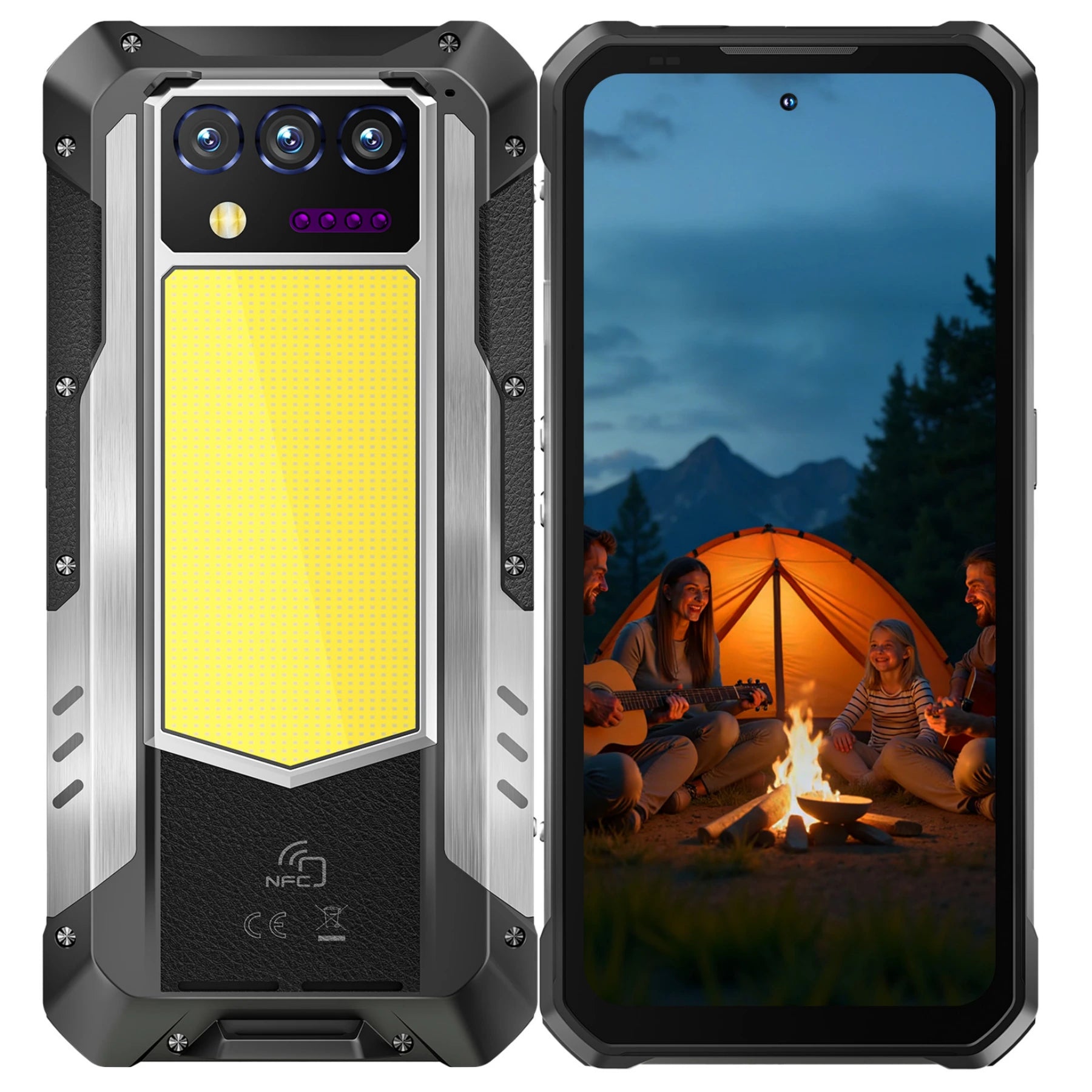
In 2026, the best camera isn't just the one you have with you—it’s the one that can survive where you go. Whether you're at the summit of a mountain, in the middle of a dust-heavy industrial site, or under the stars, your OUKITEL rugged phone is equipped with high-resolution sensors designed to compete with professional gear.
If you’ve ever wondered "how to take a good picture with a phone" when the lighting is harsh or the environment is extreme, this guide is for you. From mastering the 200MP sensor of the OUKITEL WP100 Titan to capture breathtaking details—even the lunar surface—here is how to turn your rugged device into a professional photography studio.
The 200MP Revolution: Quality Over Everything

Many users wonder how to take a great photo with their phone while assuming "Auto" mode does all the work. On the OUKITEL WP100 Titan, the 200MP ultra-high-resolution sensor captures incredible detail, even in challenging lighting or extreme environments.
Pro Tip: In bright daylight, switch specifically to 200MP Mode. This bypasses any binning or downscaling to give you raw, ultra-high-resolution detail—perfect for cropping or enlarging without losing clarity.
Clean Your Lens: It may sound simple, but rugged phones live in pockets and dirt. A single smudge on a 200MP lens can turn an epic shot into a blurry mess. Always use a microfiber cloth before critical shots.
Alternative Option: For users who want a balance of performance and portability, the OUKITEL WP60 with its 108MP sensor still delivers impressive images, especially with AI-assisted photography modes for harsh conditions.
How to Take a Good Picture of the Moon with Phone
Astrophotography is the ultimate test of a smartphone in 2026. To capture the moon with your OUKITEL, you need to fight the "Auto" settings that often overexpose the bright lunar disk.
- Stabilize Like a Pro: Use a tripod or lean your phone against a rock. Even the slightest micro-shake at high zoom will ruin the shot.
- Manual Exposure: Tap on the moon to focus, then drag the sun icon (exposure slider) down until you see the gray craters and textures.
- Use Professional Mode:
- ISO: Set to 100 or 200 (to keep the sky black and noise-free).
- Shutter Speed: Set to 1/250 or 1/500 (since the moon is actually very bright).
- Focus: Set to "Infinity" ($\infty$).
Shooting in Extreme Conditions: Rain, Mud, and Snow

The reason you choose an OUKITEL rugged phone is for the conditions. Here is how to take a good picture with phone when the weather turns:
- Underwater Photography: Use the dedicated "Under Water" camera mode in the settings. This disables the touch screen (which reacts to water) and lets you use the Volume Buttons as shutter triggers.
- Snow and Sand: These surfaces reflect massive amounts of light, often making your subject look like a dark silhouette. Use HDR Mode to balance the bright background and the dark subject.
- Night Vision: If you are in total darkness. switch to the 8MP Infrared Night Vision camera. This allows you to capture "ghost-style" black and white photos of wildlife or industrial interiors without using a visible flash.
Composition Secrets for 2026
Technical settings are only half the battle. To truly understand “how to take a good picture with your phone?”, you must master composition:
- The Rule of Thirds: Enable the 3x3 Grid in your OUKITEL camera settings. Place your subject where the lines intersect rather than in the center.
- Leading Lines: Use the ridges of a mountain, a road, or a fence to lead the viewer’s eye toward your subject.
- Golden Hour: In 2026, software can mimic light, but it cannot beat the "Golden Hour" (one hour after sunrise or before sunset). The long shadows and warm tones make rugged landscapes look cinematic.
AI Scene Detection: Let the Phone Do the Thinking

In 2026, you don't need to be a professional editor to get professional results. OUKITEL’s latest models, such as the WP200 Pro and C66, come equipped with Gemini-integrated AI Imaging.
- Automatic Optimization: When you point your camera at a mountain range, a plate of food, or a person, the AI recognizes the subject and instantly adjusts the saturation, contrast, and shutter speed. This is the secret to how to take a good picture with your phone without touching a single manual setting.
- Smart Face Enhancement: For selfies, the AI 32MP front camera uses "Portrait Glow" to subtly balance lighting on your face, ensuring you look clear even if the sun is directly behind you.
Night Vision Photography: Capturing the Unseen
One feature that truly sets OUKITEL rugged phones apart from standard smartphones is the Dedicated Infrared (IR) Night Vision Camera.
- Total Darkness Capability: Unlike standard "Night Modes" that require some ambient light, the 20MP IR sensors on the WP100 Titan and RT10 series use invisible infrared beams to capture images in complete darkness.
- Wildlife & Security: This is perfect for hikers photographing nocturnal wildlife without disturbing them, or for professionals documenting dark crawlspaces, industrial pipes, or inspection sites. To activate it, simply switch to the "Night Vision" icon in the camera menu.
Pro Tip: For best results, ensure the lens is clean and hold the phone steady. The advanced IR processing of the WP100 Titan and RT10 series enhances detail and clarity, even in pitch-black environments.
AI Magic Editing in Android 16
If you’ve taken a great shot but a stray hiker or a piece of trash ruined the background, Android 16’s built-in Generative AI Tools (available on OUKITEL 2026 models) can save the day.
- Magic Eraser: Open your photo in the Gallery, tap edit. and select the AI Eraser. Simply circle the unwanted object, and the AI will remove it and realistically fill in the background.
- Photo Unblur: Did a once-in-a-lifetime action shot come out a bit shaky? Use the AI Unblur tool to sharpen the edges and recover the detail.
- Best Take: If you’re taking a group photo on a job site and one person blinks, "Best Take" can swap their face with a version from a previous frame where their eyes were open.
High-Definition Video: 4K Recording for the Field
Capturing a "good picture" often means capturing a moving story. In 2026, OUKITEL phones will support 4K Video Recording with Enhanced Electronic Image Stabilization (EIS).
- Steady Shots on the Move: Even if you are trekking over uneven terrain, the EIS uses the phone's gyroscope to counteract your footsteps, resulting in smooth, gimbal-like footage.
- Underwater Cinematography: Because OUKITEL phones are IP68/IP69K rated, you can submerge them to record 4K video of coral reefs or underwater structural inspections. Use the physical volume keys to start and stop recording.
Frequently Asked Questions
Does zooming in ruin my photo quality?
On most phones, yes. However, with a 108MP sensor, you can use "Lossless Crop." Instead of using digital zoom (which pixels), take the photo at full 108MP resolution and crop the image later in your gallery for better results.
Why do my photos look "grainy" at night?
Grain (or noise) is caused by a high ISO. To fix this, use Night Scene mode, which takes multiple exposures and stacks them to clear up the image. Keep the phone very still during the 2–3 second capture.
How do I take action shots on a construction site?
Use Burst Mode. Hold down the shutter button to take 10–20 photos in a second. This ensures you catch the exact moment of a moving subject without motion blur.
Can I shoot "RAW" on my OUKITEL?
Yes, most OUKITEL devices in the Professional series support RAW format in "Pro Mode." This gives you much more control when editing in apps like Adobe Lightroom or Snapseed.