


In 2026, AI has transitioned from a luxury to a daily necessity. Whether you’re using ChatGPT to draft emails, solve complex math, or generate images via DALL-E 3, the app has become a cornerstone of the modern mobile experience. However, nothing is more frustrating than seeing the dreaded "Something went wrong" or an endless loading spinner.
If you’re asking, "why is ChatGPT not working on my phone?", you aren't alone. Mobile AI apps require specific hardware and software conditions to function correctly. This guide explores the common culprits and explains why upgrading to an OUKITEL smartphone is the smartest move for AI power users.
Top Reasons Why ChatGPT Is Not Working on Your Phone

If the ChatGPT app is crashing or refusing to log in, it usually boils down to one of these five issues common in 2026:
Outdated Google Play Services
Many users don't realize that the ChatGPT app relies heavily on Google Play Services for authentication and security tokens. If your Play Services are outdated, the app will fail to verify your account.
- The Fix: Go to the Play Store, search for "Google Play Services," and tap update. If no update is visible, clear its cache in your system settings.
Mismatched Date and Time
AI servers use "time-stamped" security certificates. If your phone’s manual clock is even two minutes off, the connection will be rejected for security reasons.
- The Fix: Ensure "Set time automatically" is toggled ON in your settings.
Insufficient RAM (Memory Starvation)
By 2026, ChatGPT’s mobile app has become a resource-heavy powerhouse. If you are running an older phone with only 4GB or 6GB of RAM, the system may kill the app background processes, leading to "Network Errors" or freezes.
Corrupted App Cache
Frequent updates can sometimes leave "ghost files" in your storage that conflict with new versions of the app.
- The Fix: Long-press the ChatGPT icon > App Info > Storage > Clear Cache.
VPN and IP Flagging
OpenAI's security systems often flag common VPN IP addresses to prevent bot attacks. If your VPN is active, ChatGPT might block your access entirely.
Why ChatGPT Fails on Phones in 2026 (The Real Problem)
In 2026, ChatGPT will no longer be a lightweight chat app. It now supports:
- Real-time voice conversations
- Image and vision analysis
- Long-context memory
- Multitasking across apps
This means older or underpowered phones simply can’t keep up.
If you’re asking “why is ChatGPT not working on my phone?”, the answer usually falls into one of four technical limitations.
Why OUKITEL Smartphones Are Built for the AI Era
While standard budget phones struggle with the heavy processing demands of 2026, OUKITEL has redesigned its smart Phone series to prioritize AI stability and speed.
Massive RAM for Seamless Multitasking
Devices like the OUKITEL C66 and C69 offer up to 48GB of expanded RAM. This ensures that even if you have fifty tabs open in Chrome, ChatGPT will have the dedicated memory it needs to process your prompts instantly.
Android 15 & 16 Out of the Box
OpenAI frequently updates its security requirements, often dropping support for older Android versions. OUKITEL’s 2026 lineup, including the P1 Pro and C66, comes pre-installed with Android 15 or 16, ensuring 100% compatibility with the latest ChatGPT features, including Advanced Voice Mode and real-time vision.
Cinematic Displays for AI Content
If you’re using ChatGPT to generate images or long-form documents, screen real estate matters. The OUKITEL C69 features a massive 7.2-inch HD+ display, making it one of the best "large screen" phones for reading AI-generated reports and viewing high-detail AI art.
The 4 Core Reasons ChatGPT Stops Working on Phones

Not Enough RAM (Most Common Cause)
Modern ChatGPT sessions stay active in memory. Phones with 4–6GB RAM often kill the app in the background, causing:
- Endless loading
- “Network error”
- Conversations resetting
- App crashes when switching apps
Outdated Android Version
OpenAI regularly raises minimum security requirements. Phones stuck on Android 12 or 13 may fail to:
- Log in
- Use Voice Mode
- Load images
- Pass Play Services authentication
Background App Restrictions & Battery Savers
Many phones aggressively kill background apps to save battery. Unfortunately, ChatGPT needs persistent background access, especially for:
- Voice conversations
- Image uploads
- Multitasking
Weak Battery & Thermal Throttling
AI workloads drain power fast. When phones overheat or hit low battery:
- CPU speed is reduced
- Network stability drops
- ChatGPT requests time out
How OUKITEL Phones Fix ChatGPT Problems (The Actual Solution)
This is where OUKITEL is different.
OUKITEL phones aren’t just compatible with ChatGPT — they’re built for AI workloads.
OUKITEL Solution #1: Massive RAM + Virtual Memory Expansion
OUKITEL smartphones now offer up to 72GB total RAM (physical + virtual), making them some of the most AI-ready devices on the market.
Why this matters for ChatGPT:
- ChatGPT stays active in the background without being killed by the system
- No reloads when switching apps
- Smooth real-time voice and image AI usage
- Zero memory crashes, even with multiple heavy apps running simultaneously
Example Devices:
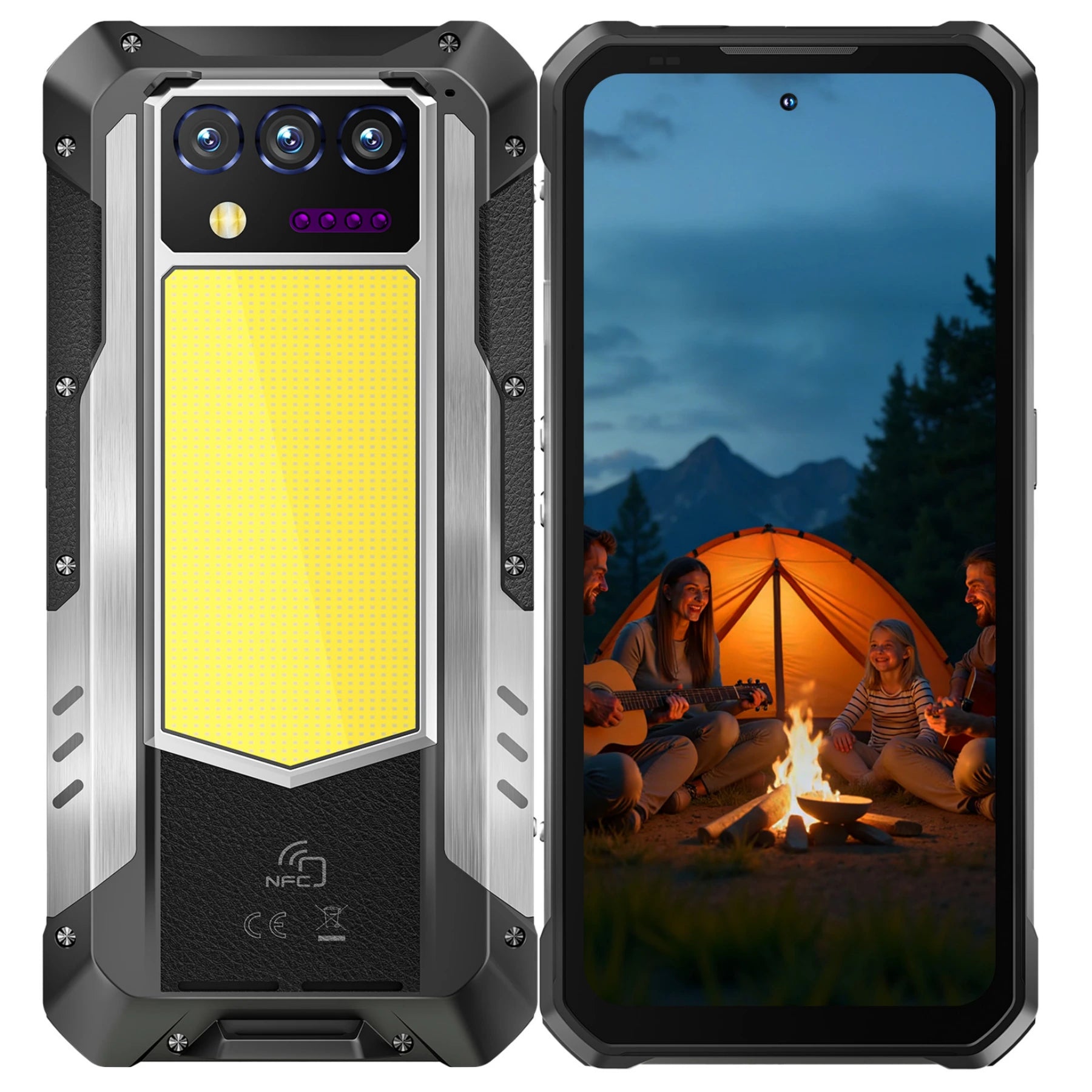
- OUKITEL WP60: 16GB physical RAM + up to 32GB virtual RAM = 48GB total, with 256–512GB storage
- OUKITEL WP200 Pro: 24GB physical RAM + up to 48GB virtual RAM = 72GB total, with 1TB storage
The WP200 Pro’s 72GB total RAM and massive 1TB storage make it one of the most powerful smartphones available in 2026. This ensures ChatGPT and other AI applications never run out of memory, making it perfect for professionals, AI creators, and multitaskers who demand ultimate performance on a mobile device.
OUKITEL Solution #2: Android 15 & Android 16 Out of the Box
OUKITEL phones ship with Android 15 or Android 16, ensuring:
- Full ChatGPT app compatibility
- Support for Advanced Voice Mode
- Improved background app handling
- Latest Google Play Services security
No workarounds. No sideloading. No broken features.
OUKITEL Solution #3: Huge Storage for AI Cache & Data
ChatGPT stores:
- Conversation history
- Image analysis data
- Voice models
- Cache files
OUKITEL phones offer 256GB–512GB internal storage, preventing:
- App corruption
- Cache conflicts
- Failed updates
OUKITEL Solution #4: Big Batteries That Don’t Kill AI Apps
AI apps like ChatGPT, especially in real-time voice mode, consume significant power. In 2026, many users rely on long-term voice conversations—for virtual meetings, real-time AI assistance, translations, or guided fieldwork. On a standard smartphone, a 30-minute voice session can drain up to 20% of the battery and cause the phone to heat up, triggering thermal throttling that slows performance or even forces apps to close.
OUKITEL solves this with a combination of massive batteries and advanced heat dissipation, designed specifically for continuous AI usage:
- 10,000mAh high-capacity battery: Provides hours of uninterrupted voice AI sessions, long image or document analysis, and all-day multitasking without worrying about running out of power.
- AI-optimized power management: Automatically puts unused apps to sleep while keeping ChatGPT and other AI tools running smoothly in the background.
- Advanced heat dissipation system: Keeps the device cool during intensive AI workloads, preventing performance drops and allowing longer uninterrupted use.
- No aggressive app killing: Unlike typical Android phones that shut down background apps to save power, OUKITEL ensures your AI assistant remains active throughout the day.
The Result: With OUKITEL phones, you can use ChatGPT as a real-time personal assistant, whether for continuous voice conversations, AI-guided work tasks, or creative projects, all day long without overheating or interruptions.
Why OUKITEL Stands Out:
- Standard phones struggle with long AI voice calls due to battery drain and heat.
- OUKITEL’s combination of large-capacity battery, AI power management, and robust thermal design ensures reliable, full-day AI performance.
- Perfect for 2026 habits: voice-first AI usage, multitasking, and real-time assistance in work, travel, or outdoor environments.
Why ChatGPT Works on Laptop but Not Your Phone
If ChatGPT works on your laptop but fails on your phone, the issue is hardware, not your account.
|
Feature |
Laptop |
Old Phone |
OUKITEL Phone |
|
RAM |
16GB+ |
4–6GB |
Up to 72GB |
|
Background Apps |
Always allowed |
Restricted |
Optimized |
|
Battery |
Plugged in |
Limited |
10.000mAh |
|
OS Updates |
Frequent |
Often stuck |
Android 15/16 |
Conclusion: Future-Proof Your Mobile Experience in 2026
As we navigate the demands of 2026, the performance of your smartphone is no longer just a luxury—it is a baseline for productivity and connection. Whether you are troubleshooting why your phone storage is full, searching for how to update to Android 16, or trying to fix a sluggish interface, the underlying theme is clear: modern software requires modern hardware.
From the hidden "System Data" bloat to the high RAM requirements of AI assistants like ChatGPT, today’s digital world can quickly overwhelm older devices. Choosing a phone that balances high-capacity storage, advanced cooling, and massive battery life is the ultimate "fix" for the most common mobile frustrations.
Why OUKITEL is the Best Value Choice for 2026
OUKITEL has carved out a unique space in the 2026 market by bridging the gap between extreme durability and flagship-level intelligence.
- For the Power User: Models like the OUKITEL C66 and C69 offer the sleek, ultra-thin aesthetics of modern flagships but with up to 512GB of storage and Android 16 compatibility, ensuring your AI tools and apps never miss a beat.
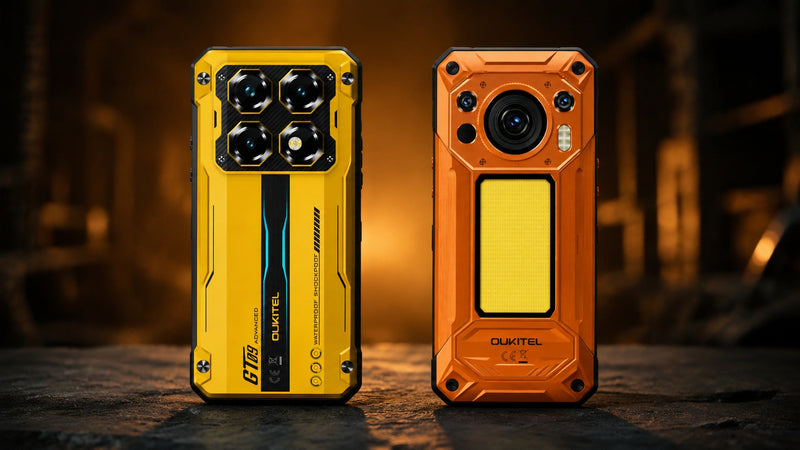
- For the Professional & Adventurer: The OUKITEL WP60 remains the "gold standard" for rugged performance. With its massive 7.2-inch 120Hz display, 10,000mAh battery,. and 48GB of expanded RAM, it is built to handle the most resource-heavy tasks—from 4K video editing to real-time AI Vision—in environments where other phones wouldn't survive.
Don’t let a slow, full, or outdated phone hold you back. By following the maintenance tips in this guide and choosing hardware designed for the future, you can ensure your mobile experience remains fast. secure. and ready for whatever the next tech wave brings.
Frequently Asked Questions
Why is ChatGPT working on my laptop but not my phone?
This usually indicates a local network or cache issue on the phone. While your laptop might be on a stable Wi-Fi, your phone could be struggling with a weak 5G signal or a corrupted mobile app cache. Try clearing the app data on your phone.
Does OUKITEL support the ChatGPT Voice Feature?
Yes. OUKITEL phones like the WP60 and C66 feature high-fidelity microphones and dual speakers, which are essential for ChatGPT’s new real-time voice conversation mode.
How do OUKITEL smartphones compare to flagships for AI?
OUKITEL focuses on Value and Battery Life. While a flagship might be slightly faster, an OUKITEL C59 Pro provides a 10,000mAh battery, allowing you to use AI tools all day without the battery drain issues common on thinner, more expensive devices.
Which OUKITEL phone is best for performance?
For the absolute best AI performance, we recommend the OUKITEL WP60. With its Dimensity 7025 5G chipset and 48GB of RAM, it handles complex AI tasks with zero lag.




Leave a comment
Your email address will not be published. Required fields are marked *