


The best thermal imaging phone is the one whose thermal sensor, measurement tools, battery life, and physical design match the work you actually perform. Thermal resolution, sensitivity, accuracy, temperature range, image fusion, and reporting software matter more than ordinary camera megapixels.
For frequent field documentation and demanding applications, the OUKITEL WP500 Ultra offers the strongest processing and storage package. The WP61 Ultra is better suited to extended fieldwork that requires a much larger battery, while the WP55 Ultra provides a more balanced option for routine thermal screening.
A thermal phone can help reveal unusual surface-temperature patterns, but it cannot see through solid walls, identify the cause of a fault, or replace calibrated instruments and qualified inspections. Buyers should therefore evaluate the thermal system separately from the phone’s conventional specifications.
Quick Verdict: What Makes a Thermal Imaging Phone Worth Buying?
A thermal imaging phone is worth considering when you regularly need to find and document temperature differences while also using calls, maps, messaging, photographs, and work applications.
Common applications include:
- Comparing electrical equipment under similar loads
- Finding unusual heat around motors or bearings
- Screening HVAC supply and return temperatures
- Locating surface patterns associated with missing insulation
- Following hot-water or heating pipes
- Checking radiators and underfloor heating
- Observing heat signatures outdoors
- Recording thermal and visible images in one device
The thermal camera should be the first part of the buying decision. A fast processor and large battery cannot compensate for a thermal system that lacks the resolution, measurement range, or software required for the task.
| Buying priority | Specification to check | Why it matters |
|---|---|---|
| Finding small hotspots | Thermal resolution and focus | Determines how much thermal detail is captured |
| Distinguishing similar temperatures | Thermal sensitivity or NETD | Helps reveal subtle temperature differences |
| Recording measurements | Accuracy and radiometric tools | Determines whether images contain usable temperature data |
| Inspecting hot equipment | Measurement range | Must cover the expected surface temperatures |
| Producing understandable reports | Image fusion and export tools | Connects thermal patterns with visible components |
| Working through long shifts | Battery and storage | Supports repeated scanning and documentation |
| Outdoor or industrial use | IP rating and physical protection | Helps the phone tolerate relevant field conditions |
Do not assume that “thermal imaging supported” answers all these questions. If a product page does not publish a required metric, request the technical documentation before buying.
Compare the Thermal Camera Before the Phone Specifications

Thermal imaging is not the same as ordinary photography. Conventional camera megapixels describe visible-light images, not the amount of detail captured by the thermal detector.
Thermal Resolution and Image Detail
Thermal resolution is the number of temperature-sensing pixels in the thermal image. More detector pixels can provide better separation between small objects and make a heat pattern easier to interpret.
This becomes important when inspecting:
- Small electrical terminals
- Closely spaced breakers
- Narrow pipes
- Bearings and connectors
- Distant outdoor subjects
- Small insulation gaps
A large phone display can make an image look smooth without adding genuine thermal data. Software may enlarge or sharpen a low-resolution image, but processing cannot recreate measurements the detector never captured.
Visible-light fusion can still improve usability. By combining edges or details from an ordinary camera with thermal information, the software can make it easier to identify which switch, pipe, fastener, or component corresponds to a hotspot. Buyers should distinguish between the thermal sensor’s native resolution and the resolution of the supporting visible camera.
For a technical introduction, see how thermal cameras detect and display heat.
Sensitivity, Accuracy, and Temperature Range
Thermal sensitivity is often stated as noise-equivalent temperature difference, or NETD. It indicates how well the detector can distinguish small temperature differences. A lower NETD generally indicates the ability to separate subtler variations under specified test conditions.
Sensitivity is different from accuracy:
- Sensitivity concerns the ability to distinguish similar temperatures.
- Accuracy concerns how closely a reported value corresponds to the object’s actual surface temperature.
- Measurement range defines the temperatures the system is designed to evaluate.
A camera may produce a useful heat pattern without meeting the accuracy requirements of a professional inspection. Likewise, a system intended for buildings or people may not cover the higher temperatures found on machinery or industrial equipment.
Check whether the manufacturer states accuracy as a temperature value, a percentage, or both. Also confirm the conditions under which the claim applies. Distance, ambient temperature, reflected radiation, surface material, and camera temperature can affect results. FLIR’s official operating guidance notes that measurement accuracy depends on factors including distance, ambient conditions, and the emissivity of the observed material. See FLIR’s thermal measurement guidance.
Refresh Rate, Focus, and Detection Distance
Refresh rate affects how smoothly the thermal image updates. A higher rate is useful when scanning equipment, following a moving subject, or adjusting the viewing angle. A lower rate may still be adequate for stationary building surfaces and routine comparisons.
Focus also matters. Some thermal modules use fixed focus, while others support manual or automatic adjustment. A fixed-focus system can be quick to operate at typical distances but may not capture small nearby components as clearly as a properly focused camera.
Detection distance should not be confused with measurement distance. A camera may show that a warm object exists at a distance without identifying it clearly or measuring a small target accurately. For measurement, the target must occupy enough thermal pixels to support a dependable reading.
Before purchasing, consider the smallest object you need to inspect and how far away you can safely stand.
Check the Thermal Software and Measurement Tools

Thermal hardware captures the infrared information, but software determines how easily users can interpret, compare, and document it.
Spot, Area, and High-Low Temperature Measurement
A useful thermal application may provide:
- Single-point temperature measurement
- Multiple movable measurement points
- Center-spot readings
- Area boxes
- Automatic high-temperature markers
- Automatic low-temperature markers
- Adjustable emissivity
- Reflected-temperature settings
- Level and span controls
- Temperature alarms
A single center point may be enough for occasional checks. Inspectors comparing several connections or recording temperature differences will benefit from movable points and measurement areas.
Confirm whether saved images are radiometric. A radiometric file retains temperature information that compatible software can analyze later. A normal screenshot may preserve only the colors shown on the display.
For professional work, also check whether the application records measurement settings, date, time, notes, location, and the original thermal image.
Thermal Palettes, Image Fusion, and Picture-in-Picture Modes
Thermal palettes assign visible colors to temperature ranges. White-hot and black-hot palettes often make general patterns easy to interpret, while multicolor palettes can help highlight smaller differences.
A palette does not improve measurement accuracy. It changes how the data is displayed.
Image fusion adds visible edges or details to the thermal view. Picture-in-picture presents thermal and ordinary images together, while a blended mode combines them. These tools can help colleagues or clients understand the location of a finding.
The best mode depends on the task:
- Use a simple thermal palette to compare heat patterns.
- Use visible-light fusion to identify components.
- Save an ordinary photograph to document labels and surroundings.
- Keep an unaltered thermal image when the original data is important.
Automatic enhancement can make an image clearer, but it should not hide the original measurement settings or create unwarranted confidence in a marginal pattern.
Saving, Annotating, and Exporting Inspection Records
A phone is especially useful when thermal images need to move directly into a message, maintenance ticket, or work report.
Before buying, confirm whether the software can:
- Save thermal and visible images together
- Add text notes or markers
- Export images without losing essential data
- Organize files by inspection or location
- Share files with existing work applications
- Preserve the original thermal capture
- Display measurement settings during review
Storage matters when each inspection includes thermal images, visible photographs, video, documents, and offline files. Removable storage can also help some workflows, but buyers should verify which data the application permits them to store externally.
Consider How the Phone Performs in Real Working Conditions
Once the thermal system meets the task, evaluate the phone that carries it.
Battery Life, Charging, and Processing Performance
Repeated thermal scanning, a bright display, GPS, photography, mobile data, and report creation all consume power. A large battery provides more reserve, but actual runtime still depends on temperature, signal strength, screen settings, and workload.
Input charging wattage also matters. It describes how quickly the phone can receive power from a compatible charger, not how long it will run.
Processing performance affects image enhancement, app switching, large reports, video, and file transfers. Storage should reflect how frequently the user captures data and how long records remain on the device.
Avoid choosing by battery capacity alone. A very large battery may support longer fieldwork but also increase weight and charging time.
Rugged Protection and Glove-Friendly Operation
A thermal phone used in workshops, plant rooms, construction areas, or outdoors should match the physical conditions around it.
Check:
- IP ratings and stated test conditions
- Manufacturer drop claims
- Port-cover design
- Button size and placement
- Screen operation with required gloves
- Mount and holster compatibility
- Dimensions and weight
- Operating-temperature limits
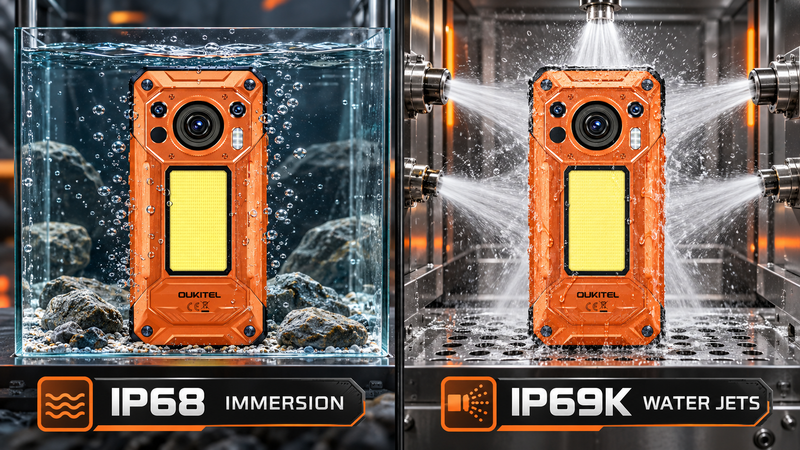
An IP rating does not make a phone permanently waterproof, and a MIL-STD-810H claim does not mean it cannot be damaged. Protection can be reduced by impacts, worn seals, improper repairs, open port covers, saltwater, chemicals, and aging.
Browse the current OUKITEL rugged phone collection to compare battery, thermal imaging, night vision, and other field-oriented features.
Storage, Connectivity, and Application Compatibility
A field tool must still function as a phone. Confirm network bands for the carrier and region, especially when buying an imported or international version.
Also check:
- 4G and 5G band support
- Wi-Fi and Bluetooth requirements
- NFC
- GPS support
- Physical SIM and eSIM needs
- Storage expansion
- Required Android applications
- Device-management policies
- Software and security-update information
Organizations should verify whether thermal files can be transferred into their existing reporting, maintenance, or asset-management system. A powerful camera has limited value if its records cannot enter the normal workflow.
Best OUKITEL Thermal Imaging Phones by Use Case

OUKITEL’s current thermal imaging models target different priorities rather than a single universal “best” user. Product specifications were checked on September 3, 2026. Availability, software, and specifications should be rechecked before publication or purchase.
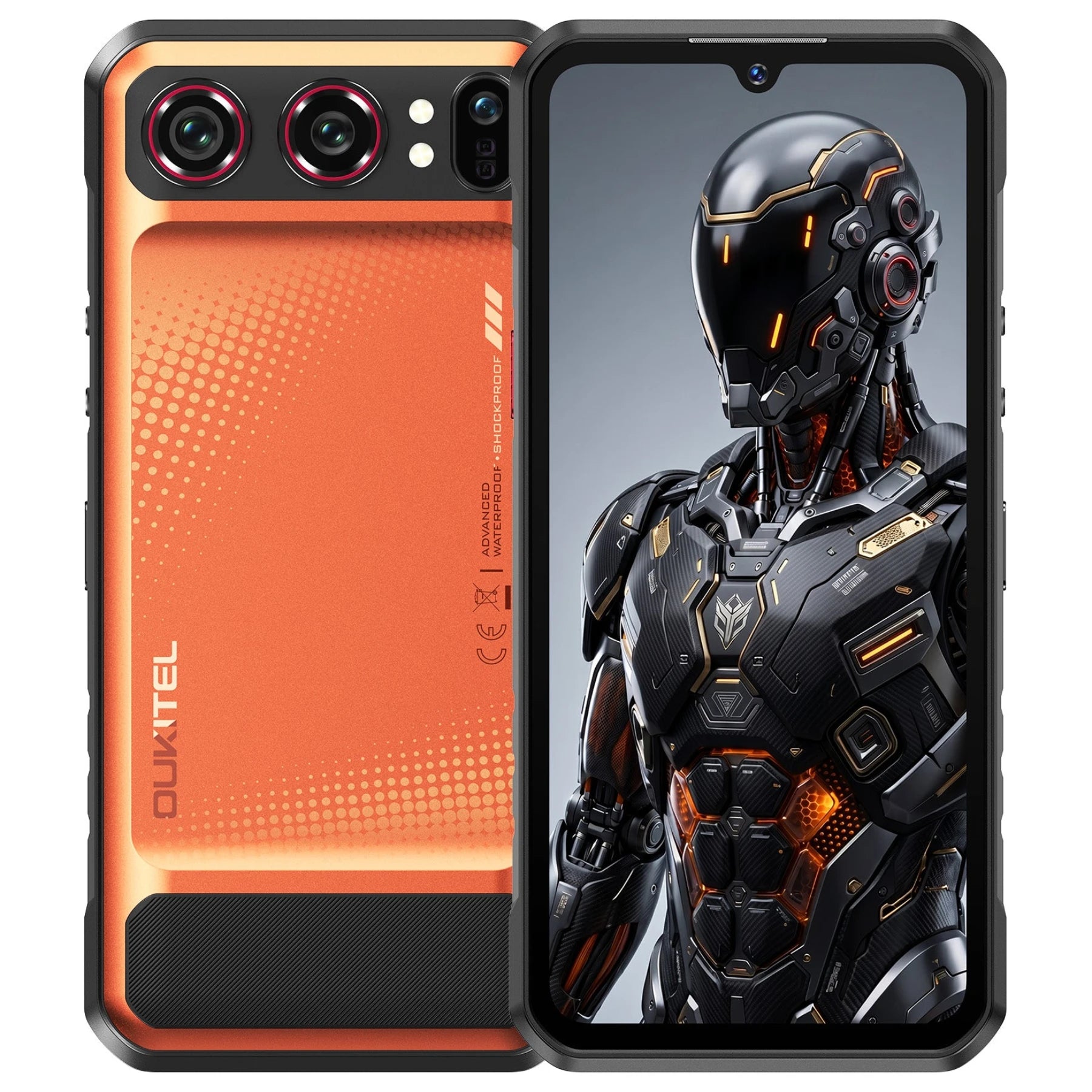
Best for Performance and Large Inspection Files: WP500 Ultra
The OUKITEL WP500 Ultra is the strongest choice for users who prioritize phone performance, internal storage, and thermal-image presentation.
Its current product page lists:
- AI-assisted thermal imaging
- Smart ClearTherm image enhancement
- SceneSync thermal and visible-image fusion
- An 8MP visible-light fusion camera
- MediaTek Dimensity 8300 processor
- 12GB RAM and 1TB storage
- 10,000mAh battery
- 45W charging
- 108MP Main Camera
- Hardware Privacy Kill Switch
This combination suits professionals who regularly capture high-resolution thermal records and work with large files in the field. For inspectors and corporate teams operating in sensitive facilities or high-security industrial zones, the OUKITEL WP500 Ultra also features a dedicated hardware privacy kill switch to instantly disable the camera, microphone, and GPS with a physical toggle.
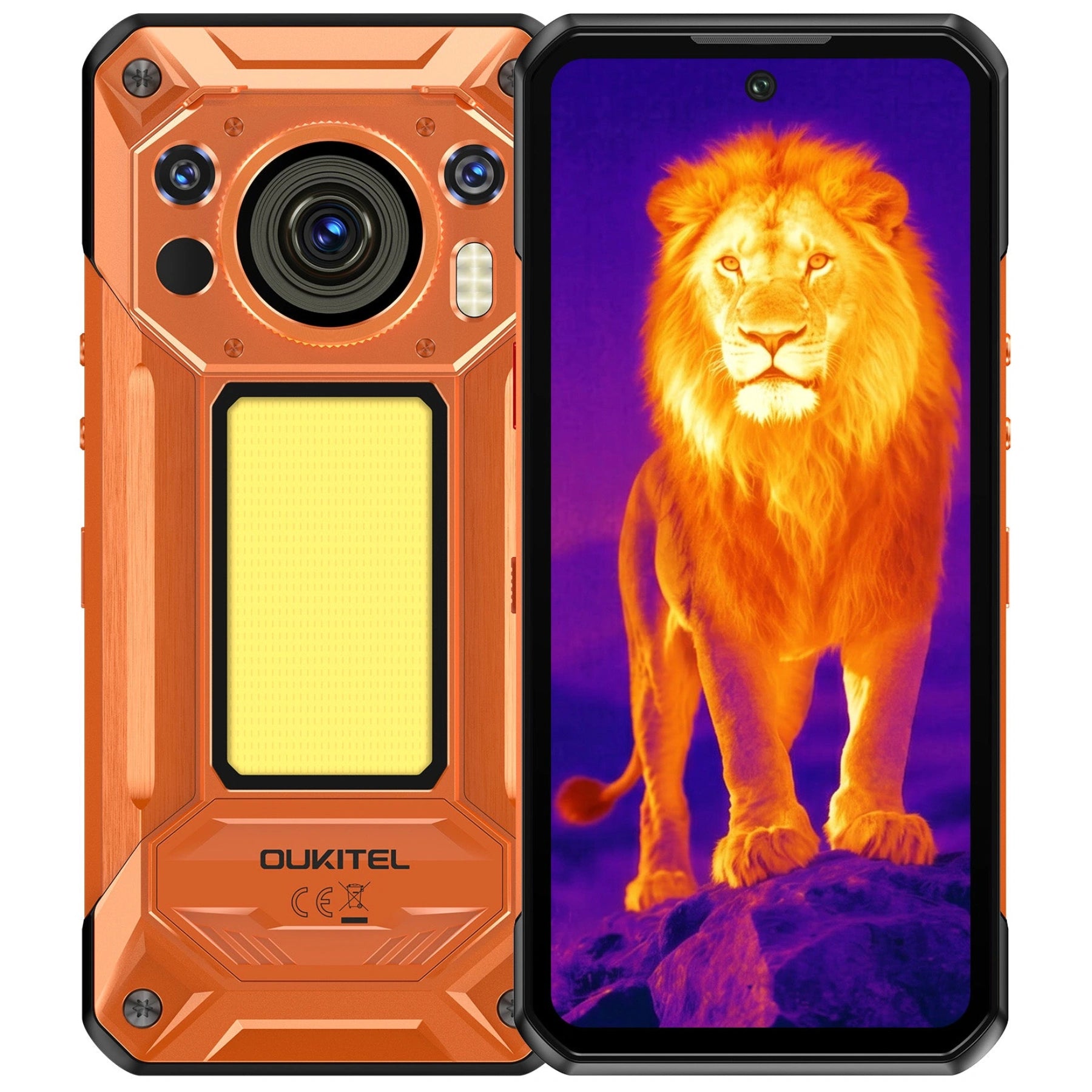
Best for Extended Fieldwork: WP61 Ultra
The OUKITEL WP61 Ultra is better suited to users who place greater value on battery reserve during long shifts or off-grid work.
Its official page lists:
- InfiRay thermal imaging
- Thermal and visible-image fusion
- 20,000mAh battery
- 45W charging
- 512GB internal storage
- Dimensity 7025 5G processor
- 108MP main camera
- 1,200-lumen camping light
The larger battery may benefit remote maintenance, outdoor inspections, utilities, and projects where charging opportunities are limited. It also adds size and weight, so it is less suitable for buyers who prioritize pocket comfort.
The thermal camera can support surface-temperature screening and documentation. It cannot diagnose an electrical fault, detect smoke or carbon monoxide, see through a wall, or certify equipment as safe.
Best Balanced Option for Routine Checks: WP55 Ultra
The OUKITEL WP55 Ultra pairs its thermal imaging system with a MediaTek Dimensity 7025 5G processor, a 108MP main camera, 33W fast charging, 512GB of storage, and an 11,000mAh battery—offering a more balanced, pocketable form factor than the extreme 20,000mAh WP61 Ultra while maintaining uncompromising everyday performance.
It is a practical candidate for users performing routine checks such as:
- Comparing radiators or HVAC outlets
- Screening equipment for unusual heat
- Viewing underfloor-heating patterns
- Recording visible and thermal references
- Supporting preliminary building checks
The current product page confirms thermal-imaging support but does not publish all the specifications required for precise professional comparison. Buyers should verify native thermal resolution, NETD, accuracy, measurement range, focus, refresh rate, calibration arrangements, and radiometric export before using it for regulated or measurement-critical work.
Match the Thermal Phone to Your Actual Task
A specification matters only when it improves the task the user needs to complete.
Electrical, HVAC, and Equipment Screening
Thermal imaging can help identify a surface that is warmer or cooler than comparable equipment. It is most useful when readings are taken under known operating conditions and compared with similar components.
It cannot determine why a hotspot exists. Load, airflow, reflections, loose connections, wear, and environmental heat may produce different patterns.
Do not remove electrical covers, touch exposed conductors, or approach sparking, smoking, or visibly damaged equipment to obtain an image. OUKITEL’s electrical safety guide explains how thermal screening fits within safer preventive checks.
Building Inspections and Heat-Loss Checks
A thermal phone can reveal surface patterns associated with insulation gaps, air leakage, moisture, heating pipes, or thermal bridges. Results are easier to interpret when there is a useful temperature difference between indoors and outdoors.
Sunlight, rain, wind, indoor heating, reflective finishes, and recent equipment use can change the pattern. A suspicious cold area does not prove that mold or water is present. Confirm findings with appropriate moisture meters, visual inspection, building knowledge, or a qualified professional.
Outdoor Observation and Field Documentation
Thermal cameras work without visible light, making them useful for observing heat differences after dark. However, distance, weather, vegetation, humidity, and the size of the target affect what the camera can show.
A thermal phone should not replace a flashlight, navigation equipment, communication plan, wildlife knowledge, or dedicated search-and-rescue tools. It provides another source of information—not guaranteed identification.
Understand What a Thermal Imaging Phone Cannot Do
Thermal imaging measures infrared energy reaching the camera from a visible surface. It does not reveal the internal structure of an object.
A thermal phone cannot:
- See through walls, doors, clothing, or metal
- Identify a person through a solid obstruction
- Determine the exact cause of a hotspot
- Confirm that electrical equipment is safe
- Detect smoke or carbon monoxide
- Prove the presence of mold or a water leak
- Measure every surface accurately with default settings
- Replace a calibrated professional instrument when certification is required
Glass is another common source of confusion. Long-wave thermal cameras generally show the temperature and reflections associated with the glass surface rather than providing a normal thermal view through it. For more detail, read whether a thermal camera phone can see through walls.
Shiny metal can also reflect infrared energy from people, lights, machinery, or the sky. The apparent hotspot may therefore be a reflection rather than the metal’s true surface temperature.
This is why emissivity matters. Emissivity describes how effectively a surface emits thermal radiation. Matte, non-metallic surfaces are generally easier to measure than polished metal, although every measurement should follow the camera and material guidance.
FAQ
Can a Thermal Imaging Phone Replace a Standalone Thermal Camera?
It can replace a standalone camera for some routine screening and documentation tasks. It may not be suitable when the work requires higher resolution, interchangeable optics, traceable calibration, advanced analysis, a specialized temperature range, or compliance-grade reporting.
Can a Thermal Camera Measure Temperature Through Glass?
Generally, it measures the glass surface and reflected infrared energy rather than the temperature of objects behind the glass. Do not interpret a normal-looking reflection as a thermal view through the window.
Do Shiny Metal Surfaces Produce Accurate Thermal Readings?
Not automatically. Polished metal has low emissivity and can strongly reflect surrounding infrared energy. Use an appropriate measurement method, emissivity setting, reference surface, and safe procedure instead of trusting the displayed value without verification.
Does a Thermal Imaging Phone Need Regular Calibration?
It may, depending on the application and manufacturer. General pattern comparison may not require the same calibration controls as professional measurement. If readings influence maintenance, safety, compliance, or formal reports, verify the calibration method, recommended interval, available service, and traceability before purchase.
Conclusion
Choosing the best thermal imaging phone starts with the thermal system, not the ordinary camera or marketing feature list. Compare native thermal resolution, sensitivity, accuracy, measurement range, focus, refresh rate, radiometric tools, and export options before evaluating battery, processing power, storage, and ruggedness.
The WP500 Ultra is best suited to users prioritizing performance and large inspection files. The WP61 Ultra provides greater battery reserve for extended fieldwork, while the WP55 Ultra offers a balanced option for routine screening.
Whichever model you choose, treat thermal findings as evidence for further investigation. Account for emissivity, reflections, distance, and environmental conditions, and use calibrated equipment or qualified professionals whenever an accurate diagnosis or certified measurement is required.



Leave a comment
Your email address will not be published. Required fields are marked *