


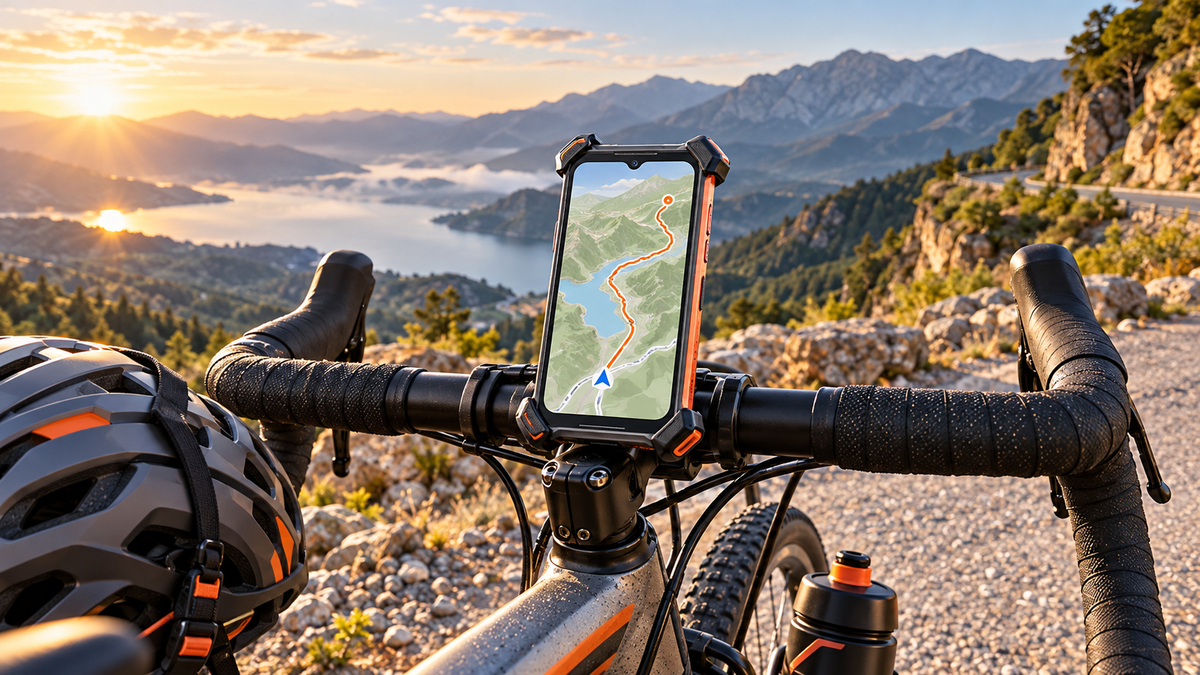
The best phone for cycling should be easy to secure on the handlebars, resistant to rain and accidental drops, dependable for GPS navigation, and efficient enough to last through the ride. It should also avoid the excessive thickness and weight that can make a handlebar setup feel unbalanced.
For cyclists who want more durability than an ordinary smartphone without mounting an extremely bulky rugged device, the OUKITEL WP68 Air is a strong fit. Its 11.9mm body, 309.5g weight, 8,000mAh battery, 5G connectivity, and IP68/IP69K/MIL-STD-810H ratings create a useful balance between portability, endurance, and protection.
However, the phone is only one part of the setup. A properly fitted mount, offline route preparation, safe screen positioning, and responsible use while riding remain essential.
What Makes a Phone Suitable for Cycling?
A good cycling phone must work as part of the bicycle rather than become an unstable object attached to it. Dimensions, mounting security, weather protection, battery capacity, navigation support, and screen visibility all matter more than a single headline specification.
| Feature | Why It Matters for Cycling |
|---|---|
| Slim, balanced body | Sits closer to the mount and creates less leverage over rough surfaces |
| Secure mount compatibility | Reduces movement and the risk of the phone coming loose |
| Water and dust resistance | Helps during rain, road spray, dust, and muddy trail conditions |
| Rugged construction | Provides additional protection against vibration and accidental drops |
| Reliable GPS support | Enables route tracking and turn-by-turn navigation |
| Large battery | Supports longer navigation sessions and emergency communication |
| Bright, responsive display | Makes route information easier to check briefly |
| 4G or 5G connectivity | Supports live maps, calls, messaging, and location sharing where coverage exists |
Secure Mounting, Balanced Weight, and Easy Handling
A phone mounted above the handlebars experiences repeated vibration, bumps, braking forces, and changes in direction. A thick or exceptionally heavy phone places more leverage on the mount, especially when it sits far above the handlebar.
Look beyond the mount’s marketing label and check:
- Supported phone width and thickness
- Maximum recommended device weight
- Corner and side-button clearance
- Retention method
- Compatibility with the handlebar diameter
- Suitability for road, gravel, or mountain-bike use
- Space around brake hoses, cables, displays, and controls
A four-corner cradle or mechanically locking mount is generally more appropriate for rough routes than a basic spring clamp. A secondary retention tether adds another layer of protection, but it should not interfere with steering or controls.
Always test the complete setup at low speed before relying on it during a longer ride. Confirm that the phone cannot rotate, slide, press its own buttons, or contact other bicycle components.
Weather and Impact Protection for Unpredictable Rides
Cyclists may encounter heavy rain, road spray, dust, mud, sudden temperature changes, and accidental drops during repairs or rest stops. A rugged enclosure can reduce dependence on a separate weatherproof case, although no phone is immune to damage.
IP68 and IP69K represent different controlled water and dust tests. IP68 commonly addresses dust protection and immersion under manufacturer-specified conditions, while IP69K covers a defined high-pressure, high-temperature water-jet test. Neither rating means a phone is permanently waterproof or safe under every real-world condition.
Impacts, damaged seals, open port covers, saltwater, cleaning chemicals, and previous repairs can reduce protection. OUKITEL’s guide toIP68 and IP69K rugged-phone ratings explains these limitations in more detail.
For cyclists, the practical rule is simple: use the protection as a safeguard, not as permission to expose the phone unnecessarily. Close port covers, inspect the enclosure after a hard fall, and allow the charging port to dry before connecting a cable.
Reliable GPS, Readable Display, and Strong Connectivity
GPS positioning and mobile internet are related but separate. A phone may still calculate its position without cellular service, but the navigation app needs stored map data to show the surrounding route.
Before riding outside reliable coverage:
- Download the route and surrounding area.
- Save the starting point, destination, and possible exit routes.
- Confirm that the map works in airplane mode.
- Store an offline copy of the route or GPX file where applicable.
- Save emergency contacts and important medical details.
- Carry an appropriate backup map for remote terrain.
Google allows users todownload selected map areas for offline use, but its support documentation notes that offline bicycling directions are unavailable. Cyclists should therefore confirm the capabilities of their chosen navigation application before departure rather than assuming every feature will work without data.
Choose the Right Phone for Your Type of Cycling
The best cycling phone depends on how and where you ride. A city commuter, long-distance tourer, and mountain biker place different demands on the same device.
Daily Commuting and Urban Navigation
Urban cyclists usually need quick route checks, traffic-aware navigation, contactless services, reliable calls, and a phone that remains comfortable after leaving the bicycle.
Portability matters because the phone may spend only part of the day on the handlebars. An extremely large expedition phone can deliver excellent battery life but feel unnecessarily bulky in a pocket, bag, office, or public-transport connection.
A suitable commuting setup should prioritize:
- Secure but fast removal from the mount
- Reliable network compatibility
- NFC where contactless services are required
- Enough battery for navigation and a full workday
- Rain and road-spray protection
- Comfortable everyday dimensions
Road Cycling and Long-Distance Touring
Road cyclists and tourers need a phone that can run navigation for extended periods without forcing them to carry an oversized device. Battery capacity is important, but capacity alone does not determine actual runtime.
Screen brightness, signal strength, navigation frequency, temperature, camera use, background applications, and battery condition all affect endurance. Higher display brightness can improve visibility but also increases power consumption.
For a longer ride:
- Start with the phone fully charged.
- Download maps instead of depending entirely on live data.
- Use a dark theme where it meaningfully reduces display consumption.
- Turn off unused radios and background synchronization.
- Reduce screen-on time.
- Save photographs and video recording for safe stops.
- Carry a compact power source on routes where the phone is the primary navigation tool.
Cyclists comparing battery-focused models can consult OUKITEL’s guide tochoosing a big-battery phone beyond its mAh rating.
Mountain Biking and Remote Trail Riding
Trail riding increases exposure to vibration, mud, branches, falls, and weak cellular coverage. Mount security and enclosure protection therefore become more important, but a rugged phone does not replace emergency equipment.
For remote routes, consider carrying a satellite messenger or personal locator beacon appropriate to the region and activity. Tell a trusted contact where you are going, when you expect to return, and when they should seek help if you miss a check-in.
A mountain-bike phone setup should include:
- A mechanically locking mount rated for rough terrain
- A secondary retention tether
- Offline trail maps
- A weather-protected charging plan
- Emergency information stored locally
- An independent communication option where cellular coverage is unreliable
The phone should also be positioned where it will not become the first point of contact during a fall. No rugged rating guarantees survival in every crash.
Why the OUKITEL WP68 Air Is a Strong Choice for Cyclists
[product-card-1]
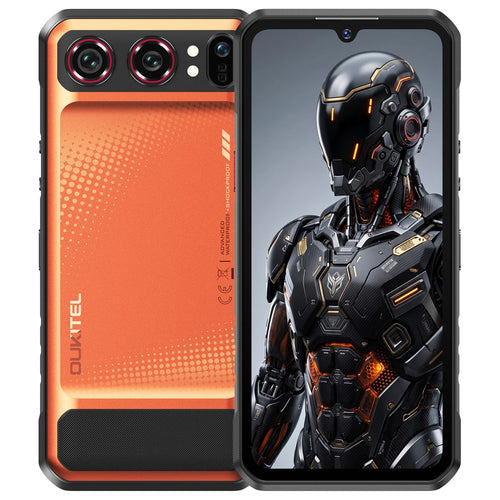
TheOUKITEL WP68 Air is particularly relevant to cyclists because it addresses one of the main disadvantages of traditional rugged phones: excessive bulk.
An 11.9mm Slim Body That Sits More Securely on a Bike Mount

At 11.9mm thick and 309.5g, the WP68 Air is designed to provide rugged-phone protection without the extremely thick profile associated with many high-capacity models.
The slimmer body allows the phone to sit closer to a compatible handlebar mount. This shorter distance between the device and the mounting point can reduce leverage compared with a much thicker, top-heavy rugged phone. The result is a more balanced arrangement that is less likely to feel awkward above the handlebars.
The phone measures 178.4 × 83.2 × 11.9mm, so cyclists must still verify the mount’s supported dimensions and weight. A mount designed only for thin conventional phones may not provide sufficient corner clearance or retention strength.
The WP68 Air’s dimensions make mounting easier; they do not make every universal bracket safe. Riders should use a high-quality mount appropriate for the bicycle and terrain, tighten it according to its instructions, and check it regularly.
For a closer look at how its battery technology supports this form factor, see OUKITEL’s guide to theWP68 Air’s slim rugged design.
An 8,000mAh Battery for Navigation and Longer Rides
The WP68 Air uses an 8,000mAh silicon-carbon polymer battery with 45W charging. Silicon-carbon technology helps the phone provide substantial capacity without requiring the same degree of thickness as many traditional large-battery rugged devices.
That balance is more useful for cycling than pursuing the largest possible battery at any cost. A 20,000mAh or 30,000mAh phone may last longer, but the additional size and weight can make it harder to position securely on the handlebars.
The WP68 Air also supports reverse charging, which may help power a compatible accessory in limited situations. Reverse charging consumes the phone’s own reserve, so it should not be used casually when the phone is needed for navigation and emergency communication.
Its 512GB internal storage and support for TF-card expansion also provide space for offline maps, route files, photographs, and videos.
Rugged Protection for Rain, Dust, Vibration, and Accidental Drops

The WP68 Air carries IP68, IP69K, and MIL-STD-810H ratings. Its official specifications state an IP68 immersion condition of 1.5 meters of freshwater for up to 30 minutes.
These ratings make it better prepared for heavy rain, dust, muddy routes, everyday vibration, and accidental drops than a conventional unprotected phone. Gorilla Glass 5 adds another layer of display protection.
However, “rugged” does not mean crash-proof. The energy involved in a high-speed bicycle crash can exceed controlled laboratory conditions, and a poorly positioned phone may strike the road, bicycle frame, or another object.
After a significant impact:
- Inspect the screen, frame, cameras, and port covers.
- Check whether the enclosure has separated or deformed.
- Stop charging if the phone becomes unusually hot or changes shape.
- Do not rely on water resistance if seals appear damaged.
- Contact qualified support if internal damage is suspected.
Cyclists who want to compare other durable models can browse the currentOUKITEL rugged-phone collection. Mounts, charging equipment, and carrying solutions can be reviewed separately in theOUKITEL accessories collection.
How to Mount and Use a Phone Safely While Cycling
Select a Mount That Fits the Phone and Riding Surface
Choose a mount according to the actual phone dimensions, weight, bicycle type, and riding surface. A mount that performs well on smooth urban roads may not remain secure on rocky descents.
Before every ride, confirm that:
- The clamp is tight.
- Fasteners have not loosened.
- The retention mechanism closes completely.
- The phone cannot contact brake or shift controls.
- The mount does not limit steering.
- The screen remains visible without blocking the road view.
Replace worn straps, cracked plastic, loose joints, or damaged fasteners rather than waiting for complete failure.
Position the Screen Without Blocking Bike Controls
Place the phone close to the centerline of the handlebars or another stable location that does not obstruct controls. Avoid positions that require the rider to look far downward or turn away from traffic.
The phone should display only essential information. Large navigation prompts and voice cues are safer than repeatedly reading detailed maps. Do not type, change applications, answer messages, or adjust the mount while moving.
If the route needs correction, stop in a safe location away from traffic before touching the phone.
Configure Navigation and Audio Before the Ride
Complete setup before departure:
- Select the route.
- Download required maps.
- Set screen brightness.
- Choose audible or vibration alerts.
- Enable emergency sharing if appropriate.
- Silence nonessential notifications.
- Confirm battery level.
- Test the mount.
Audio directions should remain quiet enough for the rider to hear traffic, bells, warnings, and other road users. Local rules regarding headphones and phone use vary, so cyclists should check the laws that apply to their route.
Prepare Your Phone for Long and Remote Rides

Download more map area than the planned route requires. Detours, missed turns, trail closures, and mechanical problems can move a cyclist outside the original corridor.
Save essential information locally, including:
- Emergency contacts
- Medical conditions and allergies
- Accommodation or pickup details
- Bicycle or travel-insurance information
- Route alternatives
- Public-transport options
- Local emergency numbers
Battery conservation should be deliberate rather than extreme. Airplane mode can save power in weak-signal areas, but it also disables cellular communication until connectivity is restored. Understand what each setting changes before depending on it.
A phone remains a multipurpose device, not dedicated rescue equipment. On genuinely remote routes, offline navigation and a large battery should be supported by an appropriate independent communication plan.
FAQ
Can a Smartphone Replace a Dedicated Cycling Computer?
Yes, for many recreational riders and commuters. A smartphone can provide navigation, route recording, communication, music, and photography in one device. A dedicated cycling computer may still be better for competitive training, longer runtime, physical controls, sensor integration, and continuous display use.
Can Phone GPS Work While Cycling Without Cellular Service?
Yes. GPS positioning can work without cellular coverage, but the navigation app needs downloaded map and route data. Download and test the required area before the ride because some applications limit offline cycling directions or other features.
Can Continuous Handlebar Vibration Damage a Phone Camera?
Sustained vibration may affect sensitive camera components on some phones, particularly systems containing movable optical-stabilization or autofocus hardware. Risk varies by phone, mount, bicycle, and terrain. Use a secure vibration-damping mount where appropriate and avoid mounting the phone directly to a location exposed to extreme continuous vibration.
Should a Phone Be Removed From the Mount During a Crash or Mechanical Stop?
Remove it after reaching a safe location if the bicycle must be turned over, transported, or repaired near the handlebars. Following a crash, use the phone to call for help only when it is safe to do so, then inspect both the device and mount before riding again.
Conclusion
The best phone for cycling balances secure mounting, manageable weight, GPS support, battery endurance, connectivity, and protection against weather and accidental damage.
The OUKITEL WP68 Air stands out because its 11.9mm body avoids much of the bulk associated with large-battery rugged phones. It can sit closer to a compatible bicycle mount and create a more balanced setup, while its 8,000mAh silicon-carbon battery supports navigation and longer rides. IP68, IP69K, and MIL-STD-810H ratings add useful protection for rain, dust, demanding routes, and accidental drops.
Those advantages still depend on responsible setup. Use a mount rated for the phone’s dimensions and weight, configure navigation before moving, minimize on-road interaction, download maps, and carry an independent backup when riding beyond reliable cellular coverage.



Leave a comment
Your email address will not be published. Required fields are marked *