
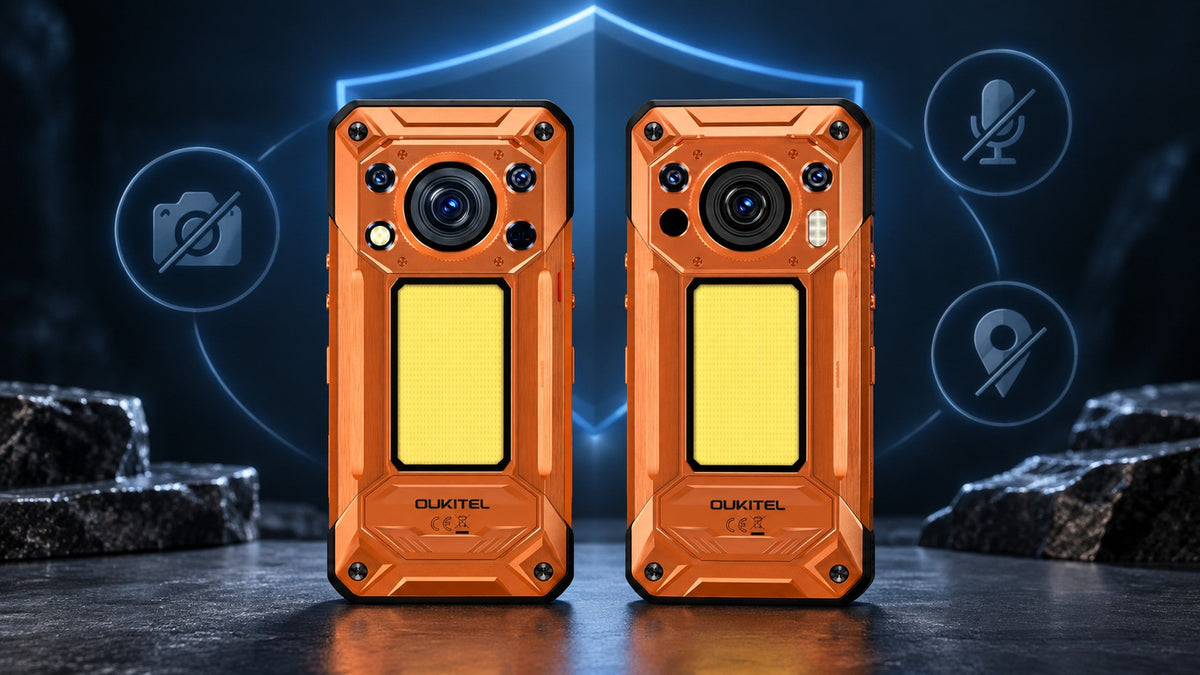
A privacy kill switch is a dedicated control that quickly disables selected data-collecting functions, such as a phone’s cameras, microphones, and GPS. It can reduce privacy leaks by stopping those sensors from capturing images, audio, or location information while the switch is active.
However, a kill switch is not a complete cybersecurity system. It does not automatically erase stored files, protect online accounts, hide an IP address, or remove malware. The strongest privacy strategy combines sensor controls with carefully managed app permissions, current software, secure accounts, and sensible online behavior.
What Is a Kill Switch?
A kill switch is a control designed to stop a specific function immediately. The term is used across several technologies, so its meaning depends on the product.
On a smartphone, a privacy kill switch may disable selected sensors. In a VPN application, the same term usually describes a feature that blocks internet traffic when the encrypted VPN connection fails. A remote-device kill switch may lock or erase a missing device.
These functions share one principle: they interrupt an activity quickly when the user no longer wants it to continue.
A Fast Way to Disable Selected Functions or Connections
A kill switch reduces the number of steps needed to stop a function. Instead of opening settings, finding several permission pages, and changing each control separately, the user can activate one dedicated switch.
This can be useful when privacy conditions change suddenly. For example, someone may move from an ordinary work area into:
- A confidential meeting room
- A restricted manufacturing area
- A research laboratory
- A client facility with camera restrictions
- A location where recording is prohibited
- A sensitive inspection site
The purpose is not only convenience. A faster control is less likely to be forgotten when the user is busy or under time pressure.
Why “Kill Switch” Can Mean Different Things
The following features are all called kill switches, but they do different jobs:
| Kill switch type | What it stops | What it is commonly used for |
|---|---|---|
| Phone privacy kill switch | Selected sensors such as cameras, microphones, or GPS | Preventing sensor access in sensitive environments |
| VPN kill switch | Internet traffic after the VPN disconnects | Avoiding an unprotected network connection |
| Remote-device control | Access to a lost or stolen device | Locking or erasing information remotely |
| Emergency shutdown | A machine, process, or power source | Preventing physical damage or injury |
Activating one type does not provide the protection of another. A phone sensor switch, for example, should not be assumed to stop internet traffic unless the manufacturer explicitly states that it does.
How Can a Smartphone Leak Private Information?
A smartphone contains several sensors and services that can collect details about its user and surroundings. These features support useful functions, but excessive or poorly managed access can also create privacy risks.
Camera and Microphone Access Can Expose Sensitive Surroundings
Camera access can reveal documents, people, equipment, layouts, and work processes. Microphone access can expose conversations or background audio.
Legitimate applications need these permissions for photography, video calls, voice messages, scanning, and other features. The risk arises when permission is granted unnecessarily, remains active longer than expected, or is misused by a compromised application.
Modern Android versions display a green indicator when an application uses the camera or microphone. Users can tap the indicator to identify the application and manage its access. Google also provides camera and microphone controls through Android’s Quick Settings on supported devices.
These indicators and controls are valuable, but users must still notice the activity and respond.
Location Data Can Reveal Movements, Routines, and Worksites
Location access can support maps, weather services, delivery applications, emergency tools, and photo organization. It can also reveal where someone lives, works, travels, or spends time.
A single coordinate may seem harmless. A repeated location history can expose:
- Daily routines
- Frequently visited properties
- Worksite locations
- Travel patterns
- Meeting places
- Time spent at specific locations
Android allows users to grant precise or approximate location and choose whether an app can access it all the time, only while in use, once, or not at all. These settings should be reviewed periodically because application behavior and user requirements can change.
App Permissions Alone May Be Easy to Misconfigure
Software permissions provide detailed control, but they are not always convenient in time-sensitive situations. A user may need to review several applications or adjust camera, microphone, and location settings separately.
Permission menus may also differ by Android version and device manufacturer. Some users grant access quickly to finish an installation and never review it again.
Android’s Privacy Dashboard helps users see which applications accessed protected information and when that access occurred. It can also be used to change camera, microphone, location, and other permissions. (Android Help)
A dedicated kill switch does not replace this dashboard. It provides an additional, faster layer for specific situations.
How Does a Hardware Privacy Kill Switch Work?

A hardware privacy kill switch uses a physical control on the phone to disable selected functions. The exact implementation varies by device, so users should check the manufacturer’s documentation rather than assuming every switch works identically.
A physical switch has two practical advantages: it can be found by touch, and its position gives the user a visible reminder that privacy mode has been activated.
It Disables Selected Sensors Through One Dedicated Control
The most useful design is specific about what the switch disables. A claim such as “privacy protection” is too broad unless the manufacturer identifies the affected functions.
For example, a switch may disable:
- Front and rear cameras
- Microphones
- GPS or location hardware
When these functions are disabled, applications that depend on them should no longer be able to capture new images, record audio, or obtain new GPS positioning through those disabled components.
This does not necessarily stop every possible source of location information. Networks, nearby Wi-Fi access points, account activity, and IP addresses may still reveal an approximate location. The exact behavior should be verified on the device.
Why a Physical Switch Is Different From Software Permissions
Software permissions usually control access on an application-by-application basis. A physical kill switch provides a single control that applies to the functions identified by the manufacturer.
| Control method | Main advantage | Main limitation |
|---|---|---|
| App permissions | Detailed control for each application | Requires regular review |
| Android Privacy Dashboard | Shows recent permission access | Primarily a review and settings tool |
| Quick Settings controls | Fast software control for camera and microphone | Availability and behavior can vary |
| Physical privacy switch | Immediate, visible control without navigating menus | Only protects the functions connected to it |
The presence of a physical switch does not mean software controls are unnecessary. Permissions determine which applications should normally have access, while the switch provides a broader temporary restriction.
How to Confirm That Protected Functions Are Disabled
Users should test the switch before relying on it in a sensitive environment.
A practical check can include:
- Activate the privacy switch.
- Open the standard camera application.
- Try to start an audio recording.
- Open a mapping application and check whether it can obtain a new GPS position.
- Confirm how the phone communicates that the functions are disabled.
- Return the switch to its normal position and verify that the features work again.
Conduct the test in a non-sensitive location. Repeat it after a major software update if the manufacturer changes how the control behaves.
Organizations should also document the test procedure instead of assuming that every employee understands the switch.
When Is a Privacy Kill Switch Most Useful?
A privacy switch is most valuable when the user frequently moves between environments with different recording or location requirements.
Confidential Meetings and Restricted Work Areas
Meeting rooms may contain unreleased products, financial information, legal discussions, customer data, or internal plans. Some facilities also prohibit active cameras or microphones even when no recording application appears to be running.
A physical switch allows the user to disable protected sensors before entering and restore them after leaving.
The switch does not make the phone compliant with every workplace policy. Some organizations may require devices to be left outside, placed in a secure locker, or completely powered off. Workplace rules always take priority.
Travel, Field Work, and Location-Sensitive Activities
Field workers may visit private properties, infrastructure sites, laboratories, healthcare environments, or customer facilities. They may need cameras and GPS for ordinary tasks but must disable them in specific areas.
Travel can create similar situations. Border crossings, secure buildings, conferences, and temporary workplaces may each have different device rules.
A kill switch offers a clear transition between normal operation and temporary sensor isolation without forcing the user to reconfigure every application.
Situations Requiring Immediate Privacy Control
A user may notice an unexpected camera or microphone indicator, enter a sensitive conversation, or realize that location access should be stopped. A dedicated physical control can respond faster than searching through multiple menus.
It is still important to investigate unexpected access later. The switch may stop the immediate sensor activity, but it does not explain why an application attempted to use the function.
How the OUKITEL WP500 Series Adds Immediate Privacy Control

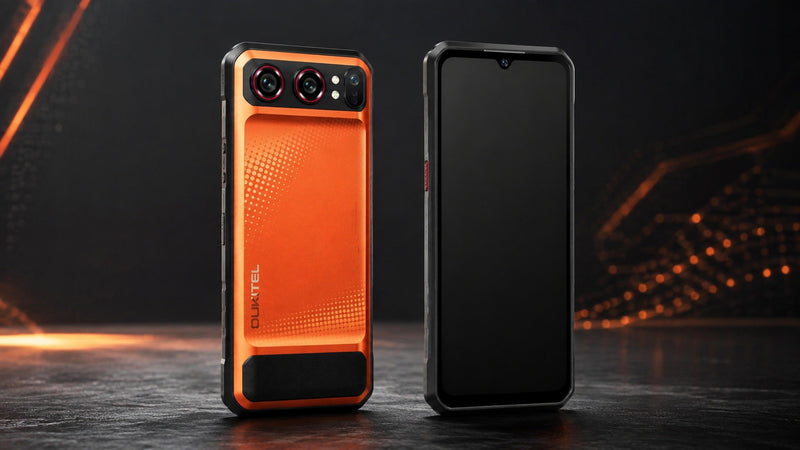
When a user enters a confidential meeting or restricted work area, opening several settings menus may be too slow or easy to forget. The OUKITEL WP500 and WP500 Ultra include a physical Privacy Kill Switch designed to disable the cameras, microphones, and GPS with one action.
This reduces the risk that those sensors capture new audio, images, or GPS information while the switch is active. It does not mean that the phones become invisible to cellular networks, websites, or online services.
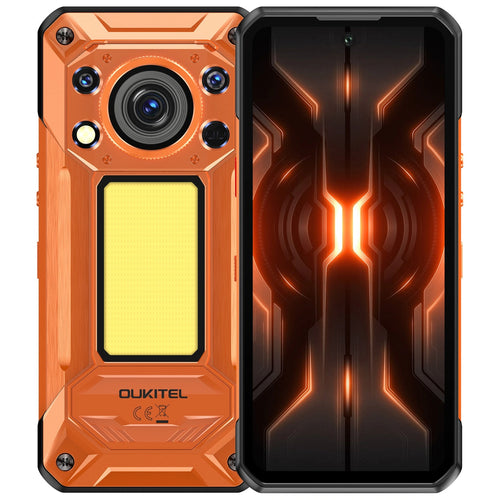
The OUKITEL WP500 is the general-purpose option in the series. Alongside the privacy control, it includes a Dimensity 8300 processor, 12GB of physical RAM, 1TB of storage, a 10,000mAh battery, and 45W charging.
[product-card-1]
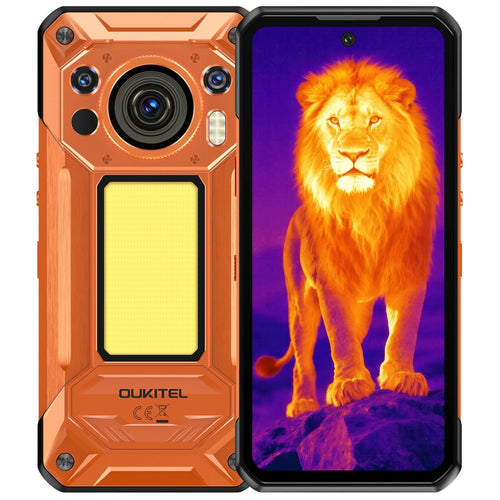
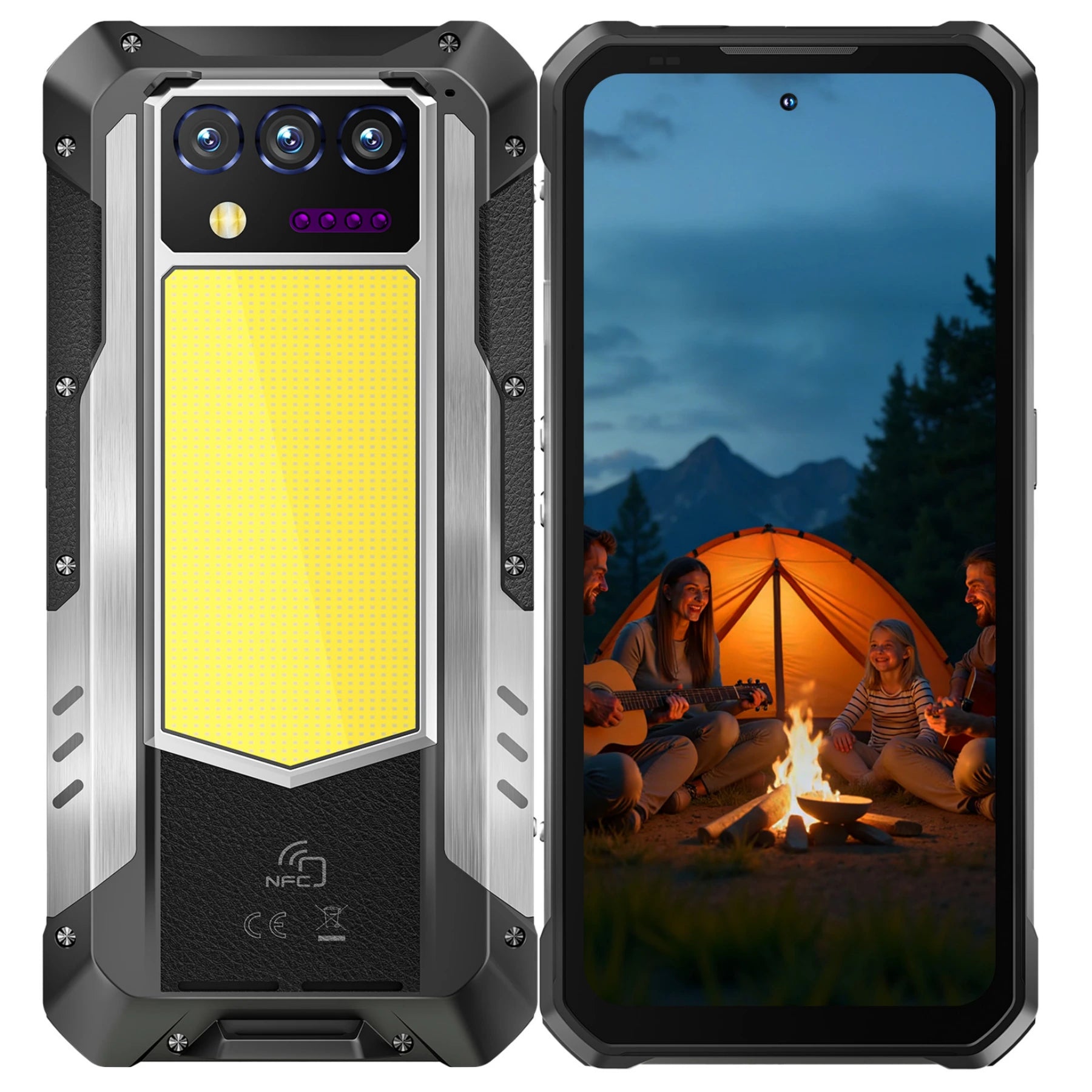
For professionals who require advanced diagnostics alongside strong privacy controls, the OUKITEL WP500 Ultra is the more capable option. It retains the physical Privacy Kill Switch and Dimensity 8300 platform while adding an advanced thermal imaging system and a 108MP main camera. This combination allows users to capture detailed visual records and clearer inspection evidence while using thermal data to identify temperature differences that may not be visible to the eye.
[product-card-2]
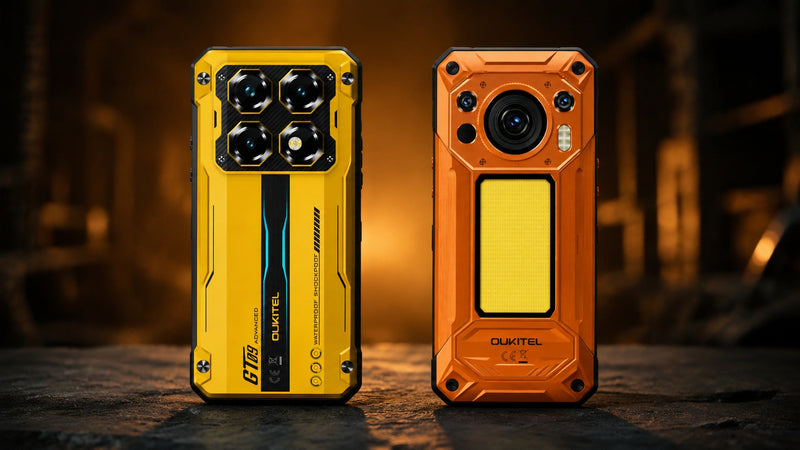
Both models are designed for demanding professional and outdoor environments. The WP500 is suited to users who prioritize performance, battery life, storage, and convenient sensor control, while the WP500 Ultra is the stronger choice when thermal diagnostics and high-resolution photography are part of the job.
What a Privacy Kill Switch Cannot Protect
A privacy kill switch protects only the functions identified by the manufacturer. It should not be described as a complete defense against surveillance, hacking, or data theft.
Stored Files, Accounts, and Cloud Data Remain Accessible
Disabling cameras and microphones stops new capture through those sensors. It does not delete photos, recordings, documents, messages, browser history, or previously collected location data.
Stored information may still be accessible to:
- Someone who knows the screen-lock credentials
- An application with file or account access
- A cloud service already synchronized with the phone
- An attacker who compromises an online account
- An organization managing the device
Protect stored data with a strong screen lock, account authentication, encryption, and appropriate backup settings.
Websites and Networks May Still Collect Connection Information
Disabling GPS does not automatically hide the phone’s network activity. Websites and services may still receive the device’s IP address. Cellular providers also need network information to deliver service.
Approximate location can sometimes be inferred from:
- IP address
- Cellular network connection
- Nearby Wi-Fi networks
- Bluetooth devices
- Account activity
- Information entered by the user
A phone privacy switch is therefore not the same as a VPN kill switch. It does not block internet traffic unless the product documentation explicitly includes that function.
Security Updates and Permission Reviews Are Still Required
A privacy switch cannot fix vulnerable software or prevent every malicious application from accessing data outside the protected sensors.
The US Cybersecurity and Infrastructure Security Agency recommends keeping mobile operating systems and applications updated and reviewing sensitive permissions such as camera, microphone, and location access.
Users should also:
- Install applications from trusted sources
- Remove applications they no longer use
- Review permission activity
- Protect accounts with strong authentication
- Avoid unknown links and attachments
- Keep backups of important information
- Install operating-system and security updates
OUKITEL’s guide to Android phone security covers the software side of this protection in more detail.
How to Use a Kill Switch as Part of a Wider Privacy Plan

Start by identifying the information that needs protection and the circumstances in which sensor access creates a risk.
A simple privacy routine might look like this:
| Situation | Recommended action |
|---|---|
| Normal daily use | Keep only necessary app permissions enabled |
| Entering a sensitive location | Activate the privacy kill switch |
| Unexpected camera or microphone indicator | Disable access and identify the responsible app |
| Leaving the restricted area | Restore required functions and test them |
| After installing new apps | Review permissions in the Privacy Dashboard |
| After a major update | Confirm that the switch still behaves as expected |
| Lost or stolen phone | Use remote lock or erase tools rather than relying on the sensor switch |
For business deployments, the process should be included in employee training and written device policies. Users should know when the switch is required, what it disables, and when phones must be stored outside a secure area instead.
The broader OUKITEL rugged phone collection can be evaluated according to workplace needs such as privacy controls, battery capacity, specialist cameras, connectivity, and device size.
FAQ
Does a Privacy Kill Switch Turn Off the Entire Phone?
Not necessarily. On the OUKITEL WP500 series, the Privacy Kill Switch is designed to disable the cameras, microphones, and GPS. Other functions may remain active, including the display, applications, cellular connection, and Wi-Fi.
Does Activating the Kill Switch Delete Photos or Location History?
No. The switch is designed to stop access to selected sensors; it does not erase previously stored photos, recordings, or location history. Existing information must be managed through the relevant application, account, or storage settings.
Can a Phone Kill Switch Stop Websites From Tracking an IP Address?
No. A camera, microphone, and GPS kill switch does not hide the phone’s IP address or block internet traffic. That requires separate network and privacy controls.
Should the Privacy Kill Switch Remain Active All the Time?
Only if the user does not need the disabled functions. Cameras, voice recording, navigation, and location-dependent applications will not work normally while the relevant sensors are disabled. Most users will activate the switch for specific privacy-sensitive situations.
Conclusion
A privacy kill switch gives users a faster way to disable selected sensors when entering a confidential or restricted environment. By stopping camera, microphone, and GPS access, it can reduce the risk of unintended image, audio, or location capture.
Its protection has clear limits. It does not erase stored data, secure online accounts, block network tracking, remove malware, or replace software updates and permission reviews.
The OUKITEL WP500 and WP500 Ultra integrate this control into a physical switch, making it easier to move between ordinary use and temporary sensor isolation. Used alongside Android privacy controls, secure accounts, and responsible application management, it becomes a practical part of a wider privacy strategy.




Leave a comment
Your email address will not be published. Required fields are marked *