


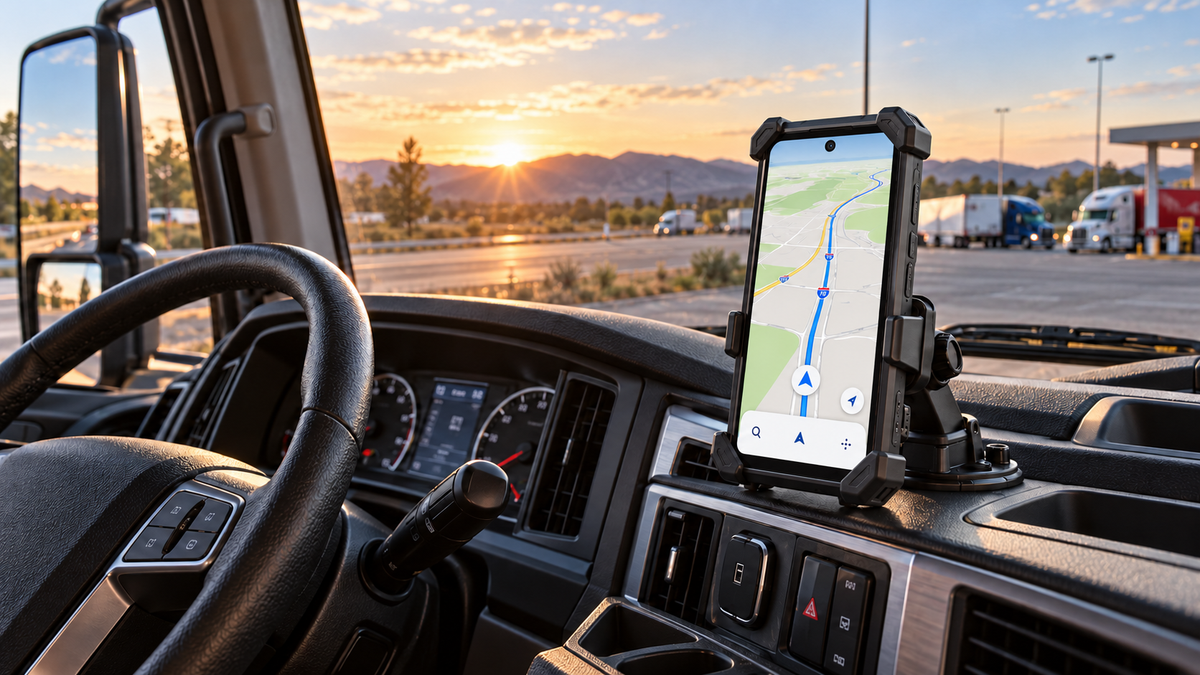
The best phone for truck drivers should provide reliable navigation, strong battery life, stable in-cab mounting, broad network compatibility, clear hands-free communication, and enough durability for long working days. Screen size and battery capacity matter, but they should not make the phone difficult to position safely or uncomfortable to carry outside the cab.
Long-haul drivers may use one device for maps, dispatch messages, electronic documents, weather information, fuel planning, photographs, and communication. That workload makes reliability more important than one impressive specification.
A suitable phone should continue supporting essential tasks when cellular coverage becomes weak, a charging cable fails, the cab becomes hot, or the route extends beyond the expected schedule. The following features help drivers choose a phone that fits both life behind the wheel and work at each stop.
Prioritize Reliable Navigation and Route Planning
Navigation is usually the most important phone function on a long-haul route. However, a large screen and a familiar map application do not guarantee that a phone is suitable for commercial driving.
Drivers still need to confirm height, weight, width, hazardous-material, and commercial-vehicle restrictions using appropriate routing tools and official instructions. A general consumer navigation app may direct a car through roads that are unsuitable or prohibited for a truck.
The phone should make route information easy to read without encouraging frequent interaction while the vehicle is moving.
Choose a Clear Display That Remains Readable in the Cab
A larger display can make upcoming turns, lane guidance, road names, and dispatch information easier to see. Screen quality should be evaluated according to real cab conditions rather than diagonal size alone.
Useful display characteristics include:
- Sufficient brightness for daytime use
- Clear text at normal mounting distance
- A wide viewing angle
- Responsive touch controls
- Adjustable text and interface size
- A refresh rate that keeps map movement smooth
- Reliable screen protection
The mounting position also affects readability. A bright display may still be difficult to see when reflections fall directly across it. Before beginning a route, rotate and tilt the mount until the screen remains visible without forcing the driver to lean forward or turn away from the road.
Dark mode can reduce glare during nighttime driving, but brightness should still be adjusted manually when necessary. A screen that is too bright can be distracting in a dark cab, while an excessively dim screen may be difficult to read quickly.
Use Offline Maps for Remote Roads and Signal Gaps
Cellular service can weaken in rural areas, mountains, industrial zones, border regions, and long stretches between towns. Offline maps help preserve basic navigation when the phone temporarily loses mobile data.
Before departure:
- Download the required map regions.
- Save important stops and delivery addresses.
- Store truck entrances separately from public customer entrances.
- Save fuel, parking, service, and rest locations.
- Confirm that the maps open in airplane mode.
- Update downloaded areas before a long trip.
A phone’s GPS receiver can calculate location without cellular service, but the navigation application still needs stored map data. Live traffic, road closures, search results, and route recalculation may also be limited when the phone is offline.
Drivers should keep a second source of route information available. That might include a dedicated truck-navigation device, approved company routing system, current road atlas, or written dispatch instructions. A smartphone should support the route plan rather than become its only point of failure.
Check GPS Accuracy, Storage, and Navigation App Compatibility
A phone used for long-haul work needs enough storage for offline maps, delivery photographs, scanned documents, dash-related applications, and operating-system updates.
Available storage is more important than the number printed on the box because the operating system and preinstalled applications already occupy part of the total. Drivers who regularly download multiple states, provinces, or countries should estimate map storage before choosing a device.
The phone should also support the required navigation, dispatch, proof-of-delivery, fleet-management, and communication applications. If the employer uses device-management software, confirm that the operating system and regional model meet company requirements.
Location accuracy can also be affected by the installation. Avoid placing the phone where metal trim, electronic equipment, or an unusually enclosed position may interfere with reception. Test navigation in the actual cab before relying on it for a full route.
Balance Battery Life With Safe In-Cab Mounting

A long route creates two different power needs. The phone must operate for hours while navigating and communicating, but it should also retain enough battery to remain useful outside the cab or after an unexpected delay.
Choosing the largest available battery is not automatically the best solution. Extremely large batteries usually add weight and thickness, which can make a phone harder to mount and less convenient to carry.
Look Beyond Battery Capacity to Charging Speed and Efficiency
Battery capacity, measured in milliamp-hours, indicates how much energy a battery is designed to store. It does not provide a guaranteed runtime.
Actual battery life depends on:
- Screen brightness
- Navigation time
- Mobile-signal strength
- 5G or hotspot use
- Background applications
- Call frequency
- Bluetooth connections
- Ambient temperature
- Battery age
- Charging behavior
Weak mobile service can increase power consumption because the phone repeatedly searches for a stronger connection. A route that passes through inconsistent coverage may therefore use more battery than an urban trip of the same duration.
Charging speed also matters. A large battery paired with slow charging may recover less energy during a rest period. Check the phone’s supported charging rate, the charger’s output, and the cable’s power capability as one system.
Use a quality vehicle charger connected to a suitable outlet. A cable that powers the phone during light use may still be unable to keep up with navigation, high screen brightness, Bluetooth, and mobile data operating together.
Match the Phone’s Size and Weight to the Mount
A phone mount should be rated for the device’s dimensions and weight. It should hold the phone securely over rough pavement, braking, turning, cab vibration, and temperature changes.
A heavy phone places more leverage on the mount’s arm and joint. Even if the clamp fits around the device, the mount may gradually tilt, shake, or detach if it was designed for a lighter consumer phone.
Before driving, check that:
- All corner supports contact the phone correctly
- Side clamps do not press physical buttons
- The charging port remains accessible
- The phone cannot slide vertically
- The adjustment joint is fully tightened
- The mount does not block the driver’s view
- The installation does not interfere with controls
- The phone sits outside every airbag deployment area
The phone and mount should be tested together while the vehicle is stationary. If the screen moves noticeably when the cab vibrates at idle, the mounting system may require a shorter arm or stronger base.
Drivers comparing different phone weights can also read How Heavy Is Too Heavy for a Rugged Phone?.
A Practical Balance for Long-Haul Drivers
[product-card-1]
Long-haul drivers need enough battery for navigation, dispatch applications, calls, and time away from the cab, but a very heavy device can make mounting more difficult.
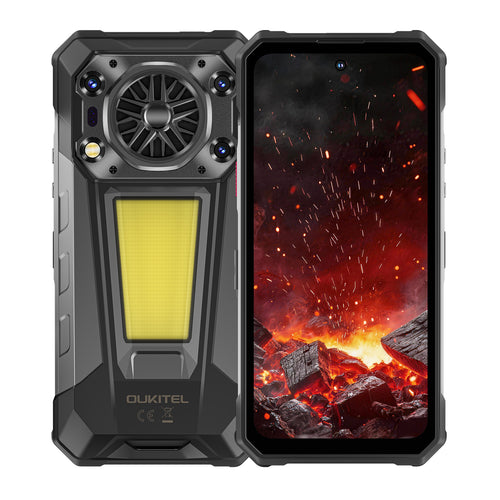
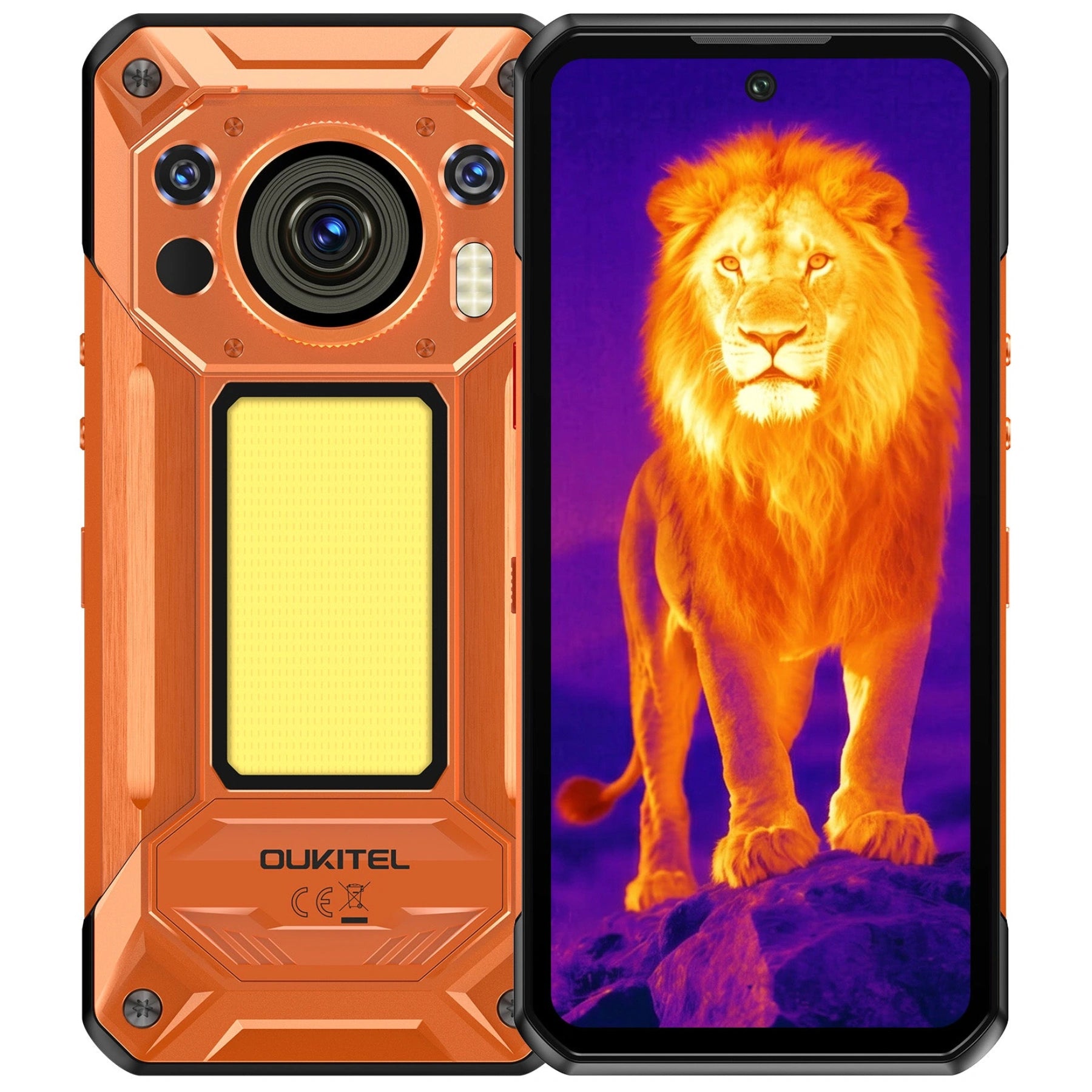
The OUKITEL WP63 is designed for drivers who prioritize maximum endurance and multi-purpose field tools over a lightweight body. Its 20,000mAh battery provides a large reserve for navigation, dispatch apps, calls, hotspot use, and time away from the cab. It supports 33W charging, while 18W reverse charging and a built-in Type-C cable allow the phone to supply emergency power to another compatible device.
Its 6.67-inch 120Hz display provides a large navigation area, while 256GB of storage and support for a TF card up to 1TB provide room for offline maps, work applications, delivery photographs, and route documents. A high-volume 3W loudspeaker and multi-mode camping light can support roadside or loading-area tasks after dark, while its IP68/IP69K-rated and MIL-STD-810H-tested construction is designed for demanding work environments.
Because the WP63 weighs 629g, it requires a short-arm heavy-duty mount explicitly rated for the phone’s dimensions and weight. The mount must remain outside the driver’s sightline and airbag deployment area, and the phone should not be left indefinitely on a hot dashboard. Secure the setup before departure and never adjust the device while the vehicle is moving.
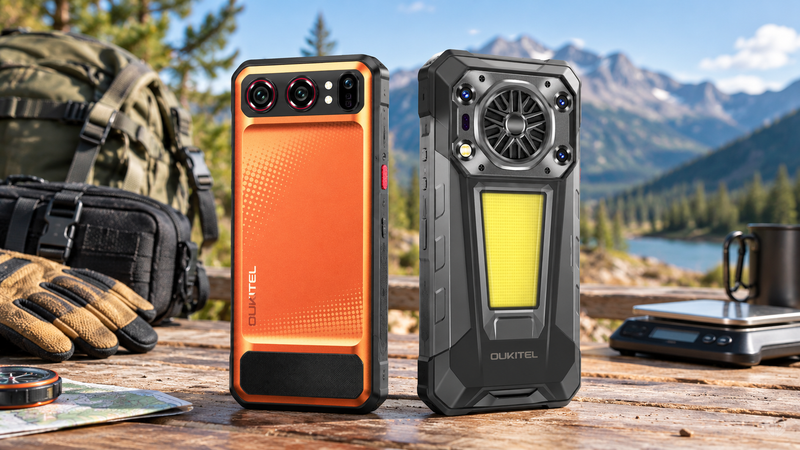
Readers who want to compare different battery sizes and form factors can browse the OUKITEL rugged phone collection or review the guide to big-battery phones and their trade-offs.
Prevent Heat Buildup During Navigation and Charging
A phone mounted near the windshield may receive direct sunlight while simultaneously running navigation, cellular data, Bluetooth, and charging. This combination can generate significant heat.
Excessive heat may cause the phone to reduce charging speed, dim its screen, limit performance, pause charging, or shut down temporarily. Repeated exposure can also accelerate battery aging.
To reduce heat buildup:
- Keep the phone away from direct sunlight when possible.
- Do not place it on top of the dashboard.
- Allow air to circulate around the device.
- Remove unnecessary insulating accessories.
- Avoid covering cooling surfaces with documents or fabric.
- Use a suitable charger and undamaged cable.
- Stop demanding applications that are not needed.
- Do not direct extreme heating or cooling at the battery.
- Allow an overheated phone to cool before charging again.
Never place the phone in a refrigerator, freezer, ice container, or water to cool it quickly. Sudden temperature changes can cause condensation and may damage the device.
Stay Connected Across Long and Remote Routes
A phone may display a 5G logo in one area and lose service completely in another. Connectivity depends on the phone, carrier, plan, network bands, local infrastructure, terrain, congestion, and vehicle environment.
The best phone is therefore not simply the one that advertises the newest network generation. It is the one that works with the driver’s actual carrier and routes.
Confirm Network-Band and Carrier Compatibility
Check the exact regional phone model against the carrier’s supported LTE and 5G bands. A phone can physically accept a SIM card without supporting every service required by that carrier.
Confirm:
- Voice and data compatibility
- Required LTE and 5G bands
- Voice-over-LTE support
- Hotspot availability under the plan
- Roaming arrangements
- International or cross-border coverage
- Emergency-calling requirements
- Company SIM and device-management policies
This check is especially important for drivers crossing national borders or working across large rural service areas. A specification that works well in one market may not provide the same coverage in another.
Prepare Backup Communication and Emergency Contacts
Store essential contacts directly on the phone rather than relying entirely on a cloud account or dispatch application. Useful entries may include:
- Dispatch
- Fleet manager
- Roadside assistance
- Insurance contact
- Maintenance support
- Emergency contact
- Shipper and receiver
- Local emergency number for each operating region
A printed contact card provides an additional backup if the phone is damaged or cannot be unlocked.
Drivers should also agree on a communication process for missed check-ins. Dispatch should know when a delayed response is normal and when it requires follow-up.
Where routes regularly extend beyond cellular coverage, consider a separate communication device designed for the operating environment. A phone cannot send a message through a cellular network that does not exist.
Keep Dispatch, Weather, and Road Information Accessible
Organize essential applications so they can be reached without searching through several screens. Place navigation, dispatch, weather, fuel, parking, and emergency tools in one folder or on a dedicated home screen.
Download critical documents before leaving reliable coverage, including:
- Delivery instructions
- Bills or reference numbers
- Facility contact details
- Approved route notes
- Parking information
- Vehicle and insurance documents
- Company emergency procedures
Sensitive documents should remain protected by an appropriate screen lock and organizational security policy. Convenience should not weaken access control.
Choose Features That Support Life on the Road
Long-haul work continues after navigation stops. The phone may be used for calls at noisy loading facilities, proof-of-delivery photographs, document scanning, entertainment during rest periods, and contact with family.
Compare Call Clarity, Speaker Volume, and Hands-Free Controls
A loud speaker can help in noisy environments, but maximum volume is not the same as clear communication. Microphone quality, noise handling, Bluetooth stability, and headset compatibility all affect calls.
Pair the phone with the cab’s approved hands-free system before departure. Test call audio, microphone pickup, navigation prompts, and media volume while parked.
Voice controls can reduce unnecessary interaction, but they should not be treated as perfectly reliable. Complete complex searches, message entry, application setup, and route changes while stopped safely.
Consider Storage, Camera Quality, and Work-App Performance

A capable camera helps document cargo condition, seals, damage, receipts, delivery locations, and vehicle issues. Image clarity matters, but so do fast focusing, storage space, and a workflow for labeling and uploading files.
Photographs should be taken only when parked in a safe location. Never attempt to document a road condition, accident scene, or mechanical problem while controlling a moving vehicle.
Adequate memory and processing power help the phone switch between maps, dispatch applications, document viewers, and communication tools without constant delays. However, drivers should close unnecessary applications if they increase distraction, data use, or battery consumption.
Look for Durability That Matches Real Trucking Conditions
Truck drivers may expose a phone to vibration, drops, dust, rain, dirty gloves, temperature changes, and repeated movement between the cab and loading areas.
A rugged phone can reduce dependence on a separate protective case, but ratings have limits. Water-resistance tests are performed under defined conditions and do not cover every liquid, pressure, temperature, impact, or aging scenario.
After exposure to water or dirt:
- Wipe the phone with a clean cloth.
- Allow ports to dry completely.
- Inspect the charging cable and connector.
- Do not charge through a wet port.
- Replace damaged covers or seals when applicable.
- Follow the model’s cleaning instructions.
The article Are Rugged Phones Suitable for Everyday Use? explains how modern battery design can combine additional protection with a more manageable body.
Build a Safer Phone Setup Before the Trip
The best time to solve a phone problem is before the truck begins moving. A five-minute setup check can prevent navigation, charging, and mounting issues later.
Position the Phone Without Blocking the Road View
Mounting rules vary by location, so drivers should confirm the requirements for every region in which they operate.
Regardless of the legal limit, the phone should not block the windshield, mirrors, gauges, controls, or sightline to pedestrians and nearby vehicles. It must also remain outside the airbag deployment area.
Route information should be visible with a brief glance. If the driver must lean, reach, or turn significantly, the position should be changed before departure.
Download Routes and Organize Essential Information

Use this pre-trip digital checklist:
- Update navigation and work applications.
- Download offline maps.
- Enter the destination and approved truck entrance.
- Review commercial-vehicle restrictions.
- Save planned fuel and rest stops.
- Charge the phone before departure.
- Pack a compatible spare cable.
- Confirm carrier and roaming settings.
- Test Bluetooth and voice prompts.
- Store essential contacts offline.
- Remove unnecessary notifications.
- Set an emergency check-in plan.
Navigation instructions should be reviewed before the trip begins. If a route must be changed, stop in a safe and permitted location before interacting with the phone.
Test the Mount, Charger, and Hands-Free System Before Departure
Place the phone in the mount and gently test each direction of movement. Connect the charger, start navigation, and confirm that the battery level increases rather than continuing to decline.
Make a hands-free test call while parked. Check whether navigation prompts interrupt calls correctly and whether the microphone remains understandable with the cab ventilation running.
Finally, inspect the cable route. It should not cross steering, pedals, gear controls, entry steps, or other areas where it could interfere with vehicle operation.
FAQ
Does GPS Still Work When a Phone Has No Cellular Signal?
Yes. GPS can calculate the phone’s location without cellular service. However, the navigation application needs downloaded maps to display roads and calculate an offline route. Live traffic, new searches, and current road updates may not be available.
Is a Windshield or Dashboard Phone Mount Better for a Truck?
The better mount is the one that is legal in the operating region, supports the phone’s weight, does not obstruct the driver’s view, and remains stable under vibration. The specific mounting surface matters less than safe placement and mechanical security.
Can Continuous Charging Damage a Phone During a Long Route?
Modern phones manage charging electronically, but continuous charging combined with navigation, direct sunlight, and a hot cab can increase battery temperature and accelerate long-term aging. Use compatible equipment, maintain airflow, and move the phone out of direct sun.
What Should a Driver Do if the Phone Overheats in Direct Sunlight?
Move the vehicle to a safe location, stop demanding applications, disconnect the charger if appropriate, remove the phone from direct sunlight, and allow it to cool naturally. Do not place it in water, ice, a refrigerator, or a freezer.
Conclusion
The best phone features for truck drivers support the entire route, not just navigation. Prioritize a readable display, offline maps, adequate storage, compatible network bands, dependable battery capacity, fast charging, clear hands-free communication, and construction suited to daily transport work.
Battery size should be balanced against phone weight and mount stability. The OUKITEL WP63 combines a 20,000mAh battery with 18W reverse charging, a built-in Type-C power-sharing cable, a 3W loudspeaker, and a multi-mode camping light. It is better suited to drivers who prioritize maximum endurance and additional roadside utility, provided its 629g body is secured in a properly rated heavy-duty mount.
No phone replaces proper route planning, commercial-vehicle guidance, a secure mounting system, or attentive driving. Configure the route, charger, hands-free connection, and essential information before departure—then leave the phone untouched while the truck is moving.




Leave a comment
Your email address will not be published. Required fields are marked *