


Fingerprint unlock has become one of the most widely used and trusted smartphone security features. Whether you're using a standard Android device or a rugged smartphone like the OUKITEL WP210, fingerprint scanning offers fast, secure, and convenient access even when your hands are wet or dusty.
But have you ever wondered:
- How does fingerprint unlock work?
- How does a smartphone read your fingerprint so quickly?
- What makes fingerprint recognition secure?
- How does under-screen fingerprint unlock (like on the WP210) differ from traditional sensors?
This complete guide explains the science, technology, and security behind fingerprint unlock systems and how modern rugged phones use advanced sensors to ensure accuracy in tough environments.
What Is Fingerprint Unlock on Smartphones?
Fingerprint unlock is a biometric authentication method that identifies you by scanning the unique patterns on your fingertip.
Every fingerprint contains:
- Ridges
- Valleys
- Minutiae points (branching, endings)
- Ridge flow
- Unique intersections
No two humans, even identical twins, share the same fingerprint.
Smartphones store a mathematical model (not an image) of your fingerprint. Whenever you touch the scanner, the phone compares the live scan with the stored model to decide whether to unlock.
How Does Fingerprint Unlock Work? (Simple Explanation)

Fingerprint unlock works in four steps:
You enroll your fingerprint
Your phone scans your fingertip multiple times to collect data from different angles and pressure levels.
The fingerprint is converted into a digital map
The phone does not store an image.
It stores a secure mathematical representation.
When you touch the sensor, the phone scans your print again
This new scan is compared to the stored model.
If the match is close enough, the phone unlocks
Matching does not require 100% similarity, only a high enough confidence score.
This process happens in milliseconds thanks to powerful processors like the MediaTek 7025 inside devices such as the OUKITEL WP210.
Different Types of Fingerprint Sensors (2026)
Modern smartphones use three main types:
Capacitive Fingerprint Sensors (Traditional Physical Sensors)
These sensors detect electrical differences between fingerprint ridges and valleys.
How it works:
- Tiny capacitors measure the distance between your finger and the sensor
- Ridges touch closer → create stronger signals
- Valleys sit farther → weaker signals
The sensor forms a detailed map of your fingerprint.
Advantages:
- Fast
- Reliable
- Hard to spoof
Used widely in rugged phones before under-screen tech became popular.
Optical Under-Screen Fingerprint Sensors
Used in many AMOLED smartphones today, including rugged models like the OUKITEL WP210.
How it works:
- Light illuminates your finger through the screen
- The camera under the display captures a high-resolution image
- The system analyzes ridge patterns
Advantages:
- Works through AMOLED screens
- Supports large scanning area
- More comfortable, no physical button
Ultrasonic Fingerprint Sensors (Premium)
Uses ultrasonic waves instead of light.
How it works:
- Sound waves penetrate the skin
- They bounce back, creating a 3D map of the fingerprint
- Captures deeper detail beneath the skin surface
Advantages:
- Works with wet or oily fingers
- More accurate
- High security
Some rugged phones may adopt this tech soon as it matures.
How the OUKITEL WP210 Unlocks Your Phone

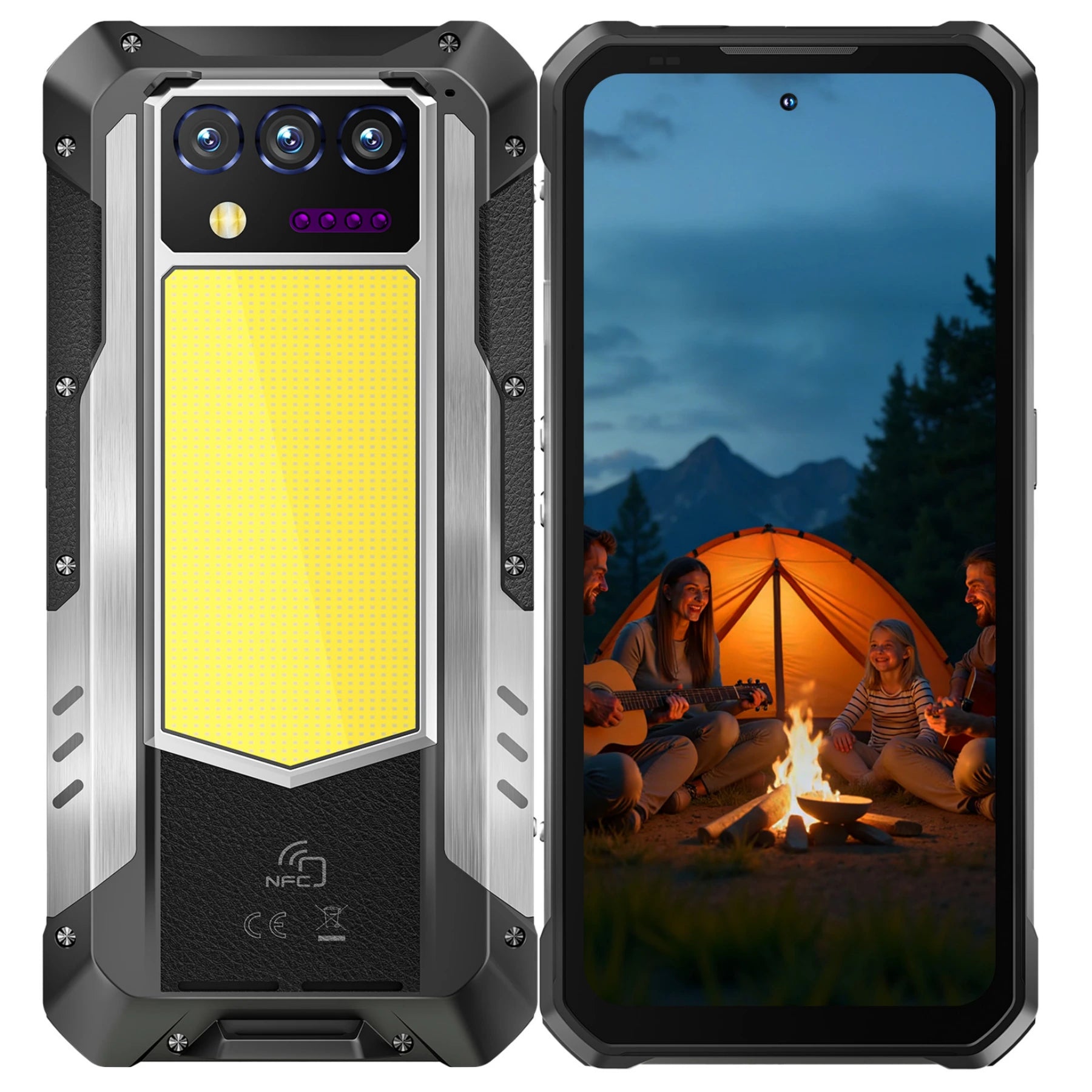
The OUKITEL WP210 5G Rugged Phone uses an under-screen fingerprint sensor, optimized for outdoor and industrial environments.
WP210 Fingerprint Highlights:
- Under-screen sensor for intuitive unlocking
- Fast response time
- Rugged construction protects fingerprint hardware
- Android 15 system enhances biometric processing
- Secure storage using on-chip encryption
Because rugged phones get used in tougher conditions, having a reliable fingerprint sensor is essential.
Why Fingerprint Unlock Is Ideal for Rugged Phones
Rugged phone users often work in environments where other unlock methods fail:
- Face unlock may not work with helmets, masks, or outdoor glare
- PIN entry is slow with gloves
- Passwords are inconvenient on job sites
Fingerprint unlock remains reliable even when:
Your hands are slightly dirty
Your phone is dusty
You’re wearing thin work gloves
Lighting conditions are poor
You need quick access in emergencies
That's why rugged phones like WP210, WP200 Pro include fast fingerprint unlock systems.
How Safe Is Fingerprint Unlock?
Fingerprint unlock is considered one of the safest forms of smartphone authentication.
Key security features:
Fingerprint Data Is Encrypted
Your fingerprint is stored as encrypted data inside the phone’s secure chip.
It cannot be extracted or reconstructed into an image.
Fingerprints Cannot Be Easily Replicated
While photos can fool very old face unlock systems, fingerprints require:
- Skin texture
- Ridge depth
- Live blood flow (in ultrasonic sensors)
Replicating this accurately is extremely difficult.
Every Fingerprint Is Unique
Even two fingers from the same person differ significantly.
Rugged Phones Protect the Sensor
Devices like the OUKITEL WP210 have:
- MIL-STD-810H durability
- Waterproof IP68/IP69K design
→ Protecting fingerprint hardware from damage.
What Happens If Your Fingerprint Doesn’t Work?
Sometimes fingerprint recognition fails due to:
- Wet fingertips
- Dust or dirt on the sensor
- Scratches on the screen
- Wearing thick gloves
- Very cold or very dry skin
But rugged phones are built to handle challenging conditions.
Tips to improve accuracy:
Clean the screen surface
Re-enroll your fingerprint with slight finger rotations
Add multiple fingerprints
Enroll same finger twice (if allowed)
Keep your OS updated
Where Is Fingerprint Data Stored?
Fingerprint data is stored in the phone’s Secure Enclave (Android calls it TEE: Trusted Execution Environment).
This protected chip:
- Is isolated from main system memory
- Cannot be accessed by apps
- Cannot be transferred elsewhere
- Cannot be uploaded to the cloud
Even if the phone is hacked, fingerprint data remains protected.
How Fast Is Fingerprint Unlock on Modern Smartphones?
Modern sensors unlock phones in:
0.2 to 0.5 seconds
Speed depends on:
- Sensor type (optical, capacitive, ultrasonic)
- Cleanliness of the sensor
- Processing speed
Phones like the OUKITEL WP210 have powerful processors (Dimensity 7025), allowing fast biometric recognition.
Fingerprint Unlock Use Cases in Rugged Environments
Fingerprint unlock is extremely practical in:
Construction Sites
Workers wearing gloves or helmets cannot rely on face unlocking.
Outdoor Field Work
Harsh sunlight may affect face ID, but fingerprint scanning works consistently.
Emergency Response
Quick access is critical fingerprint unlock is faster than passwords.
Industrial Environments
Dusty environments challenge optical sensors, but rugged phones compensate with coatings and firmware calibration.
Logistics & Warehousing
Workers scan packages, operate vehicles, and need instant access.
Fingerprint Unlock vs Face Unlock: Which Is Better?
|
Feature |
Fingerprint Unlock |
Face Unlock |
|
Works with gloves |
Sometimes |
No |
|
Works outdoors |
Yes |
Sometimes |
|
Works in low light |
Yes |
Yes |
|
Security |
High |
High |
|
Convenience |
Very high |
Very high |
|
Rugged environment performance |
Excellent |
Moderate |
Best solution:
Phones like the WP210 combine both face unlock + fingerprint unlock, giving users full flexibility.
Common Myths About Fingerprint Unlock
Myth 1: Fingerprints can be “stolen” from the sensor
False only encrypted data is saved.
Myth 2: Someone can unlock your phone while you sleep
Only if they physically move your finger.
Face unlocking may not work with closed eyes (depending on settings).
Myth 3: Fingerprint unlock weakens over time
Not true unless the sensor is scratched or dirty.
Myth 4: Temperature affects fingerprint accuracy
Extreme cold or heat affects your skin, but rugged phones compensate with better calibration.
Frequently Asked Questions
How does fingerprint unlock work?
By scanning unique ridge patterns and comparing them with encrypted stored data.
Is fingerprint unlock secure?
Yes fingerprint data is encrypted and stored in a secure chip.
Can fingerprints be faked?
Nearly impossible with modern hardware and anti-spoofing.
Does WP210 have fingerprint unlock?
Yes it has an under-screen fingerprint sensor.
Which is safer: fingerprint or face unlock?
Both are secure; rugged phones often include both.
Does fingerprint unlock work when wet?
Depends on sensor type; rugged phones offer better reliability.
Conclusion
Fingerprint unlock is one of the safest and most practical biometric systems available.
With rugged smartphones like the OUKITEL WP210, users benefit from:
- Under-screen fingerprint unlock
- Strong biometric security
- MIL-STD-810H durability
- Waterproof design
- Reliable performance in all conditions
Fingerprint unlock remains essential for outdoor workers, field technicians, emergency responders, and anyone who needs fast, secure access on the go.



Leave a comment
Your email address will not be published. Required fields are marked *