


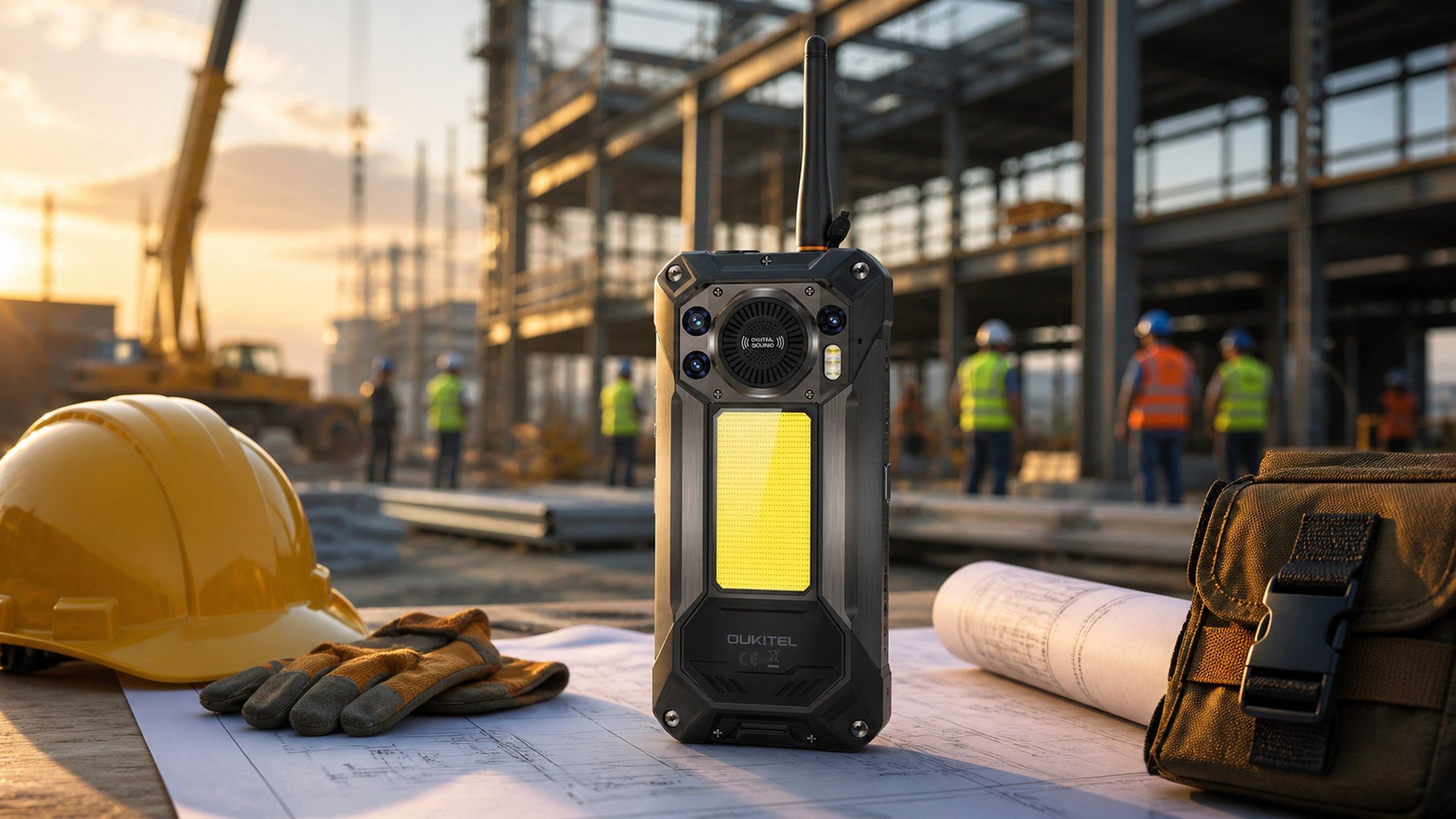
A good rugged phone for construction workers should survive expected jobsite exposure, remain usable with work gloves, last through a full shift, support the required network, and provide reliable access to calls, plans, photos, safety apps, and offline files.
IP and MIL-STD claims are useful starting points, but they do not make a phone indestructible. Construction teams must also consider weight, screen visibility, speaker volume, charging access, camera performance, radio compliance, device security, and whether specialized certification is required in hazardous locations.
The right choice depends on the worker’s role and environment. A site supervisor reviewing drawings has different requirements from an equipment operator, electrician, concrete crew, or technician working beyond cellular coverage.
Match the Phone to Real Construction-Site Risks
Start with a basic job hazard assessment rather than a list of attractive specifications. Identify where the phone will be used, how it will be carried, and what could realistically damage it.
Identify Exposure to Drops, Dust, Water, and Vibration
Common construction-site risks include:
- Drops onto concrete, steel, gravel, or timber
- Fine dust entering charging ports and speakers
- Rain, mud, slurry, and accidental splashes
- Repeated vibration in vehicles or equipment
- Temperature changes between indoor and outdoor work
- Impact from tools, materials, or machinery
- Exposure to oils, chemicals, or cleaning products
- Damage caused by carrying the phone loosely at height
A phone used mainly in a site office may only need moderate protection. A device carried by a concrete worker, equipment technician, or outdoor utility crew faces more demanding conditions.
Match the device to the actual exposure. A higher rating is not automatically useful if the phone is too heavy to carry safely or cannot run the required applications.
Check IP and MIL-STD Claims Without Assuming Unlimited Protection
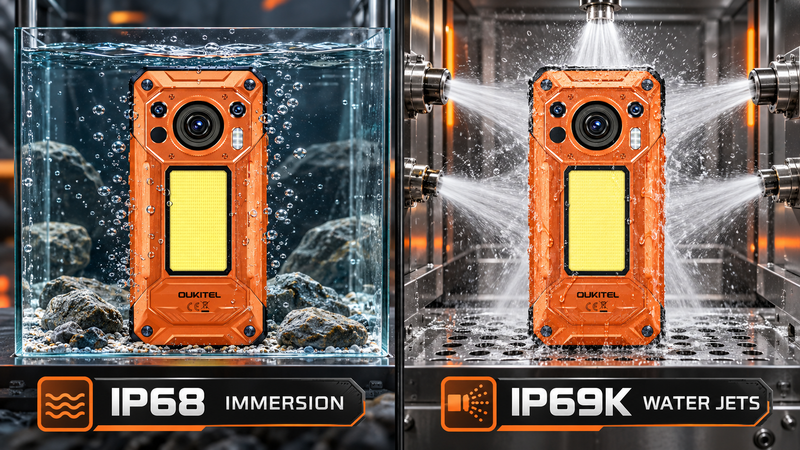
An IP rating describes specific laboratory-tested protection against dust and water. IP68 commonly indicates dust-tight construction and water-immersion protection under conditions defined by the manufacturer. IP69K addresses high-pressure, high-temperature water jets.
These ratings do not guarantee protection against every liquid, pressure level, temperature, chemical, or duration of exposure. Saltwater, concrete slurry, oils, solvents, and damaged port seals can create risks that are not represented by a simple IP number.
MIL-STD-810H refers to a collection of environmental test methods rather than one universal durability certificate. Buyers should look for details such as the tested drop height, surface, temperature range, and specific methods completed.
For a broader explanation of these ratings, read Rugged Phones 101.
Balance Durability With Weight and Everyday Handling
Rugged phones usually weigh more than conventional smartphones because of their reinforced housings and larger batteries. More protection and capacity can be valuable, but extra weight affects:
- One-handed operation
- Belt and pocket comfort
- Fatigue during long shifts
- The severity of a dropped-object hazard
- Compatibility with holders and vehicle mounts
- Safe use on ladders, scaffolds, or elevated platforms
Workers should test how the phone will be carried before deployment. A secure holster, hand strap, tether, or zippered pocket may be more appropriate than a loose trouser pocket.
Do not attach a phone tether to a point that could catch on machinery or create an entanglement hazard. Follow the site’s work-at-height and tool-tethering procedures.
Compare the Features That Matter During a Work Shift

Construction workers often use a phone as a camera, document viewer, navigation tool, scanner, communication device, and authentication method. The phone must remain functional across the entire workflow.
Battery Capacity, Charging Time, and Access to Power
Battery requirements depend on shift length and application use. Poor cellular coverage, GPS, high screen brightness, video calls, hotspot use, photography, and push-to-talk applications can all increase power consumption.
Before choosing a battery size, ask:
- How long is the normal shift?
- Can workers charge in a trailer or vehicle?
- Will the phone run GPS or a hotspot continuously?
- Are photos and videos uploaded throughout the day?
- Does the team work in weak-signal areas?
- Must the phone remain powered during an outage?
- Will it charge another device through reverse charging?
Capacity should be considered alongside input charging power. A very large battery can support longer work, but it may also require more charging time and add significant weight.
If battery endurance is the main concern, compare the available OUKITEL rugged phones by capacity, charging power, weight, and network bands rather than mAh alone.
Screen Visibility, Glove Use, Speaker Volume, and Physical Controls
A construction phone must be usable without creating unnecessary interruptions.
Outdoor brightness matters when workers read plans, check messages, or photograph defects in direct sunlight. A high refresh rate can make scrolling and plan navigation smoother, but it may also increase power use.
Glove operation should be tested with the gloves actually worn on site. Thin work gloves, insulated gloves, chemical-resistant gloves, and welding gloves interact differently with touchscreens. A manufacturer’s general “glove mode” claim does not guarantee reliable operation with every glove.
Physical buttons or programmable keys can reduce screen interaction. Depending on the phone and software, a key may be assigned to a camera, flashlight, push-to-talk function, or work application.
Audio is equally important. However, workers should not rely on speaker volume to overcome unsafe noise exposure. Approved hearing protection and the site’s communication procedure still take priority.
Camera Detail, Storage, Navigation, and Work Applications
Construction photographs often serve as evidence rather than decoration. Workers may need to document:
- Completed work
- Equipment condition
- Serial numbers and labels
- Material deliveries
- Installation details
- Safety observations
- Before-and-after conditions
- Progress for daily reports
- Information needed for an RFI
A higher megapixel number can provide cropping flexibility, but focus speed, stabilization, exposure, lens cleanliness, and low-light performance affect whether a photograph is usable.
Storage also matters when cellular service is poor. Keeping drawings, manuals, maps, and inspection forms available offline allows work to continue when cloud access is interrupted.
Before buying devices for a team, confirm that the operating system supports required construction, authentication, document-management, and mobile-device-management applications.
Keep Crews Connected Across the Jobsite

Steel, concrete, temporary structures, equipment, terrain, and distance can all affect cellular and radio signals. A communication plan should therefore include more than one method.
Verify Cellular Bands, Wi-Fi, and Push-to-Talk Requirements
An unlocked or 5G phone is not automatically compatible with every carrier. Compare the phone’s supported frequency bands with the carrier’s bands in the region where the project operates.
Also test:
- Indoor coverage in concrete structures
- Service in basements and enclosed areas
- Wi-Fi roaming around the site
- Voice quality near active machinery
- Push-to-talk application performance
- VPN and authentication access
- Emergency calling procedures
- Offline availability of contacts and plans
Download essential files before workers leave reliable coverage. A phone should not become a single point of failure for site plans, emergency information, or access credentials.
Set Check-In Procedures and a Backup Communication Method
A communication plan should identify:
- The primary channel for routine instructions.
- The backup method if cellular service fails.
- Check-in times for isolated workers or crews.
- The emergency contact hierarchy.
- The meeting location after an evacuation.
- Who contacts emergency services.
- How missing or injured workers are reported.
- Which information must be available offline.
Short, standardized messages are easier to understand in noisy or stressful conditions. Workers should state their identity, location, problem, number of people affected, immediate hazards, and assistance required.
Protect Essential Contacts, Plans, and Offline Information
Store essential information so workers can access it without cellular service. This may include:
- Supervisor and safety contacts
- Site address and access instructions
- Emergency meeting points
- Evacuation plans
- Equipment manuals
- Safety data sheets
- Offline drawings
- Local maps
- Medical and accessibility information
- Approved radio channels and call signs
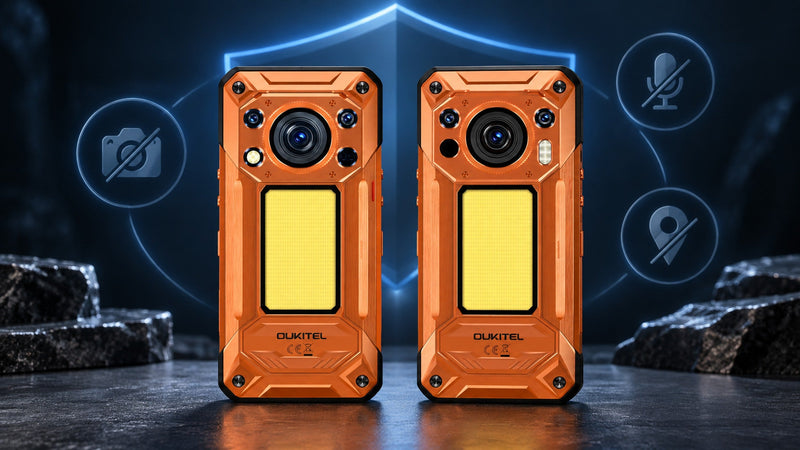
Protect business information with screen locks, managed work profiles, encryption, and remote-wipe capabilities. Shared crew phones should use role-based accounts rather than personal credentials whenever possible.
For teams that depend on Android applications and centralized administration, OUKITEL’s guide to rugged Android phones and enterprise applications provides additional planning considerations.
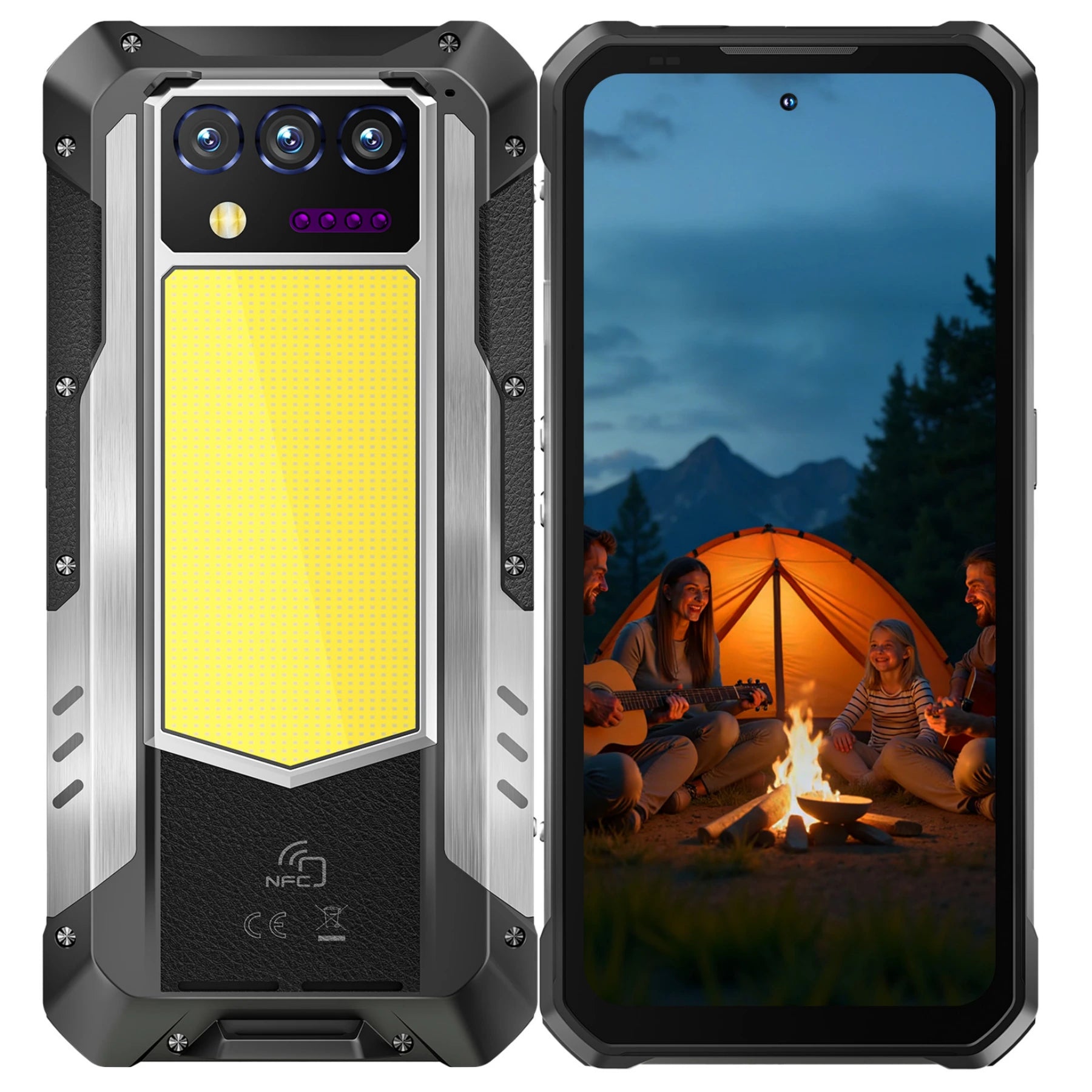
The OUKITEL WP61 Plus is relevant when long shifts and rapid group communication are recurring problems. Its current specifications list a 20,000mAh battery, 45W input charging, 512GB storage, and a built-in 2W DMR walkie-talkie. These features can help keep plans, photos, contacts, and communication tools available when charging opportunities or cellular coverage are limited.
The WP61 Plus should not be treated as a universal replacement for the site’s radio system. DMR operation depends on compatible equipment, matching frequencies and channel settings, site layout, interference, and regional regulations. In the United States, business radio systems may fall under different FCC service and licensing rules. The FCC notes that private land mobile radio systems serve industrial and business operations, while personal radio services follow separate authorization methods. Employers should confirm applicable requirements before programming or deploying radio equipment. Review the relevant FCC information.
Use and Protect a Rugged Phone Safely at Work

Rugged construction reduces the likelihood of damage, but care and inspection still determine whether protection remains effective.
Secure the Phone When Working at Height or Around Machinery
A dropped phone can injure a person below, damage equipment, or create a distraction during critical work. Use a site-approved carrying method and inspect attachment points regularly.
Before climbing or entering an elevated work area:
- Close the holster or pocket completely.
- Check the tether and attachment point if tethers are permitted.
- Avoid placing the phone on rails, ledges, equipment, or unfinished surfaces.
- Do not handle the phone while maintaining three points of contact.
- Move to a safe position before reading or entering information.
- Keep straps and cables away from rotating machinery.
The heaviest big-battery phones require particular care because their mass can increase the consequences of a fall.
Keep Ports, Seals, Cameras, and Speakers Clean and Dry
Fine dust can accumulate around charging ports, microphones, speakers, buttons, and port covers even when the enclosure is rated against dust ingress.
Inspect the phone at the end of a shift. Use only cleaning methods allowed by the manufacturer. Do not insert metal tools into the charging port or direct compressed air into openings unless the product instructions explicitly allow it.
Before charging:
- Make sure the port and cable are dry.
- Remove visible dirt without forcing it deeper.
- Check that the connector is straight and undamaged.
- Stop if the port becomes hot or smells burnt.
- Replace damaged cables rather than taping them.
Do not assume an IP69K rating authorizes routine pressure washing. Test conditions, distance, temperature, nozzle angle, and exposure duration are controlled, while real cleaning conditions may not be.
Remove Damaged Devices From Service Instead of Relying on Their Rating
A cracked screen, swollen battery, bent enclosure, loose port cover, damaged cable, or unusual heat can indicate that the phone is no longer safe or properly sealed.
Remove the device from service if it:
- Swells or separates at the seams
- Produces smoke, odor, or excessive heat
- Has exposed internal components
- Makes crackling sounds while charging
- Has suffered severe crushing or impact
- Cannot hold a stable charging connection
Move the device only when it is safe to do so and follow the employer’s damaged-battery procedure. Do not continue using it because it originally carried a ruggedness rating.
Know Where a Standard Rugged Phone Is Not Enough
A rugged phone is designed to withstand environmental exposure. That does not mean it is certified for every industrial hazard.
Do Not Confuse Rugged Construction With Intrinsic Safety
IP68, IP69K, and MIL-STD-810H do not establish that a phone is intrinsically safe or explosion-proof.
Intrinsic safety addresses whether electrical equipment can release enough electrical or thermal energy to ignite a hazardous atmosphere. It requires specific approvals and markings for the location, material group, and temperature conditions.
A standard rugged phone must not be used in a classified hazardous area simply because it resists dust, water, and drops.
Follow Site Rules in Explosive or Electrically Classified Areas
Potentially hazardous locations can include areas with flammable gases, vapors, combustible dust, fibers, fuel handling, coatings, or other ignitable materials.
OSHA’s construction standard states that equipment used in hazardous classified locations must be intrinsically safe, approved for the classified location, or otherwise demonstrated safe for that environment. It must also match the relevant class, group, and operating temperature requirements. See OSHA 29 CFR 1926.407.
Before bringing any phone into such an area:
- Check the site classification.
- Review the employer’s device policy.
- Confirm the device’s approval and labeling.
- Verify that the approval matches the specific hazard.
- Leave the device outside if compliance cannot be confirmed.
Use Certified Instruments for Measurements and Safety Inspections
Phone cameras, sensors, and specialized features may help workers record observations, but they do not replace calibrated or certified instruments.
A thermal camera can show surface-temperature patterns, for example, but it cannot see through walls, determine the condition of hidden wiring, prove that equipment is electrically safe, or replace a qualified electrician.
Similarly, GPS, compass, noise-meter applications, distance-measurement tools, and environmental sensors should not be used for safety-critical decisions unless the device, application, method, and calibration are approved for that task.
Choose a Rugged Phone for Each Construction Role
The most effective phone is the one that matches the worker’s actual responsibilities.
| Role | Priorities |
|---|---|
| Site supervisor | Calls, plans, email, camera, storage, 5G, long battery |
| Field engineer | Detailed photos, offline drawings, navigation, processing performance |
| Trade crew | Glove use, physical controls, loud audio, drop protection |
| Equipment operator | Secure mount, vibration resistance, hands-free communication |
| Maintenance technician | Camera detail, manuals, work orders, offline files |
| Remote crew | Battery reserve, backup communication, navigation, emergency information |
Site Supervisors, Project Managers, and Field Engineers
These users often need a bright display, reliable camera, large storage capacity, current software, and enough performance to move between drawings, email, reports, messaging, and site applications.
A rugged tablet may be better when drawings and forms are the primary workload. OUKITEL’s rugged tablet construction guide explains where a larger screen becomes more practical.
Trade Crews, Equipment Operators, and Maintenance Teams
These users may prioritize physical protection, simple controls, secure carrying, clear audio, and reliable battery life. A phone that is easy to operate with the required PPE may be more useful than a higher-performance model that requires frequent glove removal.
Equipment operators should use approved mounts and hands-free procedures. A rugged phone must never distract from vehicle, crane, lift, or machinery operation.
Remote Projects, Long Shifts, and Temporary Worksites
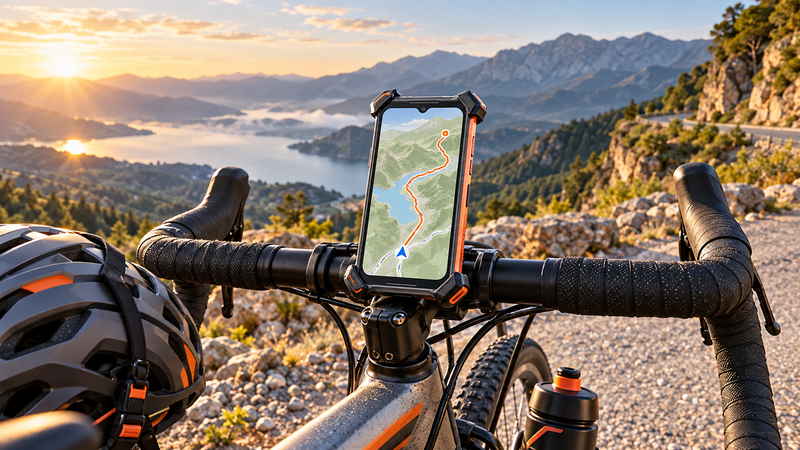
Remote projects may require larger batteries, offline maps, downloaded documents, reverse charging, and a backup communication plan.
However, carrying maximum capacity is not always necessary. Compare expected shift length with the phone’s weight and charging access. A moderately sized rugged phone plus a vehicle charger may be more practical than an extremely heavy device.
FAQ
Do Construction Sites Require Intrinsically Safe Phones?
Only certain hazardous classified locations require specifically approved equipment. A normal construction site may not, but areas containing ignitable gases, vapors, dust, or fibers can have additional requirements. Follow the site classification and employer policy.
Can a Rugged Phone Replace a Dedicated Two-Way Radio?
Not automatically. A phone may provide push-to-talk or DMR communication, but compatibility, coverage, battery procedures, licensing, emergency operation, and site policy must be evaluated. Dedicated radios may remain necessary.
How Should a Phone Be Carried While Working at Height?
Use a closed pocket, approved holster, or site-approved tethering system. Never leave the phone on a ledge or handle it while climbing. Ensure any strap cannot become caught in machinery.
Can Concrete Dust Damage a Rugged Phone’s Ports and Speakers?
Yes. Fine dust can accumulate around openings and moving parts despite the phone’s original protection rating. Inspect and clean the device according to the manufacturer’s instructions, and keep the charging port dry before connecting a cable.
Conclusion
Construction workers should choose a rugged phone by matching its protection, battery, connectivity, controls, camera, storage, and weight to the actual job.
IP and MIL-STD claims help compare environmental resistance, but they do not guarantee unlimited protection or establish intrinsic safety. The phone must also work with required gloves, carrier bands, applications, radio systems, mounts, and company security policies.
For long or remote shifts, the WP61 Plus offers a large battery and an additional DMR communication option, but its size, radio requirements, and safety limitations must be evaluated before deployment. No rugged phone replaces approved emergency procedures, dedicated safety equipment, certified instruments, or intrinsically safe devices where those are required.


Leave a comment
Your email address will not be published. Required fields are marked *