


It’s a classic modern frustration: you go to take a photo or download a vital app. Only to be met with the dreaded "Storage Full" alert. In 2026, with 4K video standards and massive app updates, digital clutter builds up faster than ever. Even if you own a high-capacity device like an OUKITEL rugged phone, managing your local storage is essential for maintaining peak performance.
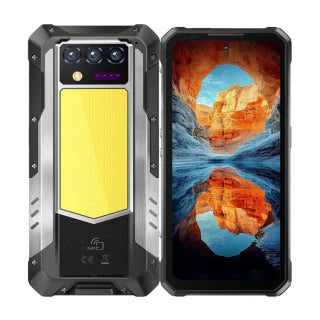
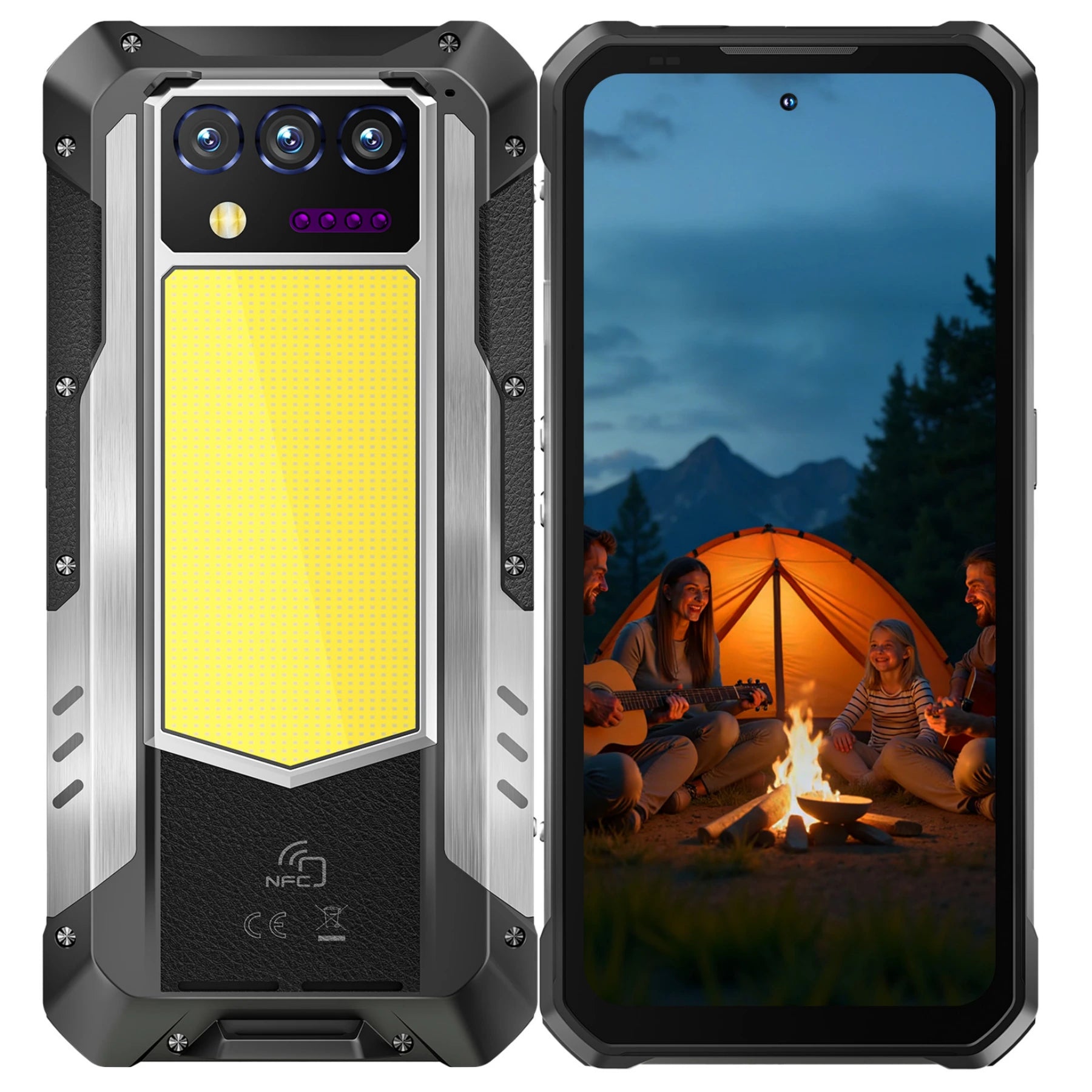
It’s a modern frustration: you try to take a photo or download an app, and your phone says “Storage Full.” With 4K video, massive apps, and high-performance software in 2026, even high-capacity devices like the OUKITEL WP60 can fill up if storage is not managed carefully. Unlike regular Android, OUKITEL rugged phones are designed with large internal storage and virtual memory expansion, making them particularly suited for professionals, adventurers, and heavy media users.
The Mystery: Why is my phone storage full after deleting everything?

Many users find themselves in a loop of deleting photos only for the "Storage Full" message to return minutes later. This often happens because of "Ghost Data" and delayed system updates.
Hidden System Cache & Logs
Every time you browse the web or use an app. your phone stores temporary files (cache) to help things load faster next time. Over months, this can grow into several gigabytes of "System Data" or "Other" storage.
- The Fix: On Android, go to Settings > Apps > [App Name] > Storage > Clear Cache.
The "Recently Deleted" Trap
On Android, deleting a photo doesn't actually remove it from your storage immediately. It moves to a "Recently Deleted" or "Trash" folder where it stays for 30 days.
- The Fix: Manually empty your Trash in Google Photos or your Recently Deleted album Photos to see an instant increase in available space.
Residual Files from Uninstalled Apps
When you delete an app, it sometimes leaves behind "orphaned" folders. This is particularly common on Android devices. Using a file manager to check the Android/data folder can reveal several hundred megabytes of leftover junk.
Why Your Phone Storage Fills Up
Even after deleting files, storage can remain full due to hidden system files, cache, and app data. Cloud services like iCloud or Google Photos do not increase physical storage—they simply offload some data to the cloud.
Key Causes Condensed:
- Hidden Cache & Logs: Apps and the system store temporary files to speed up operations. Over time, this can grow into gigabytes of “System Data” or “Other” storage.
- Trash / Recently Deleted Folders: Deleted files often remain for 30 days before permanent removal.
- Residual Files from Uninstalled Apps: Orphaned folders and leftover app data consume space, especially on Android.
- Cloud Misconceptions: Even with iCloud or Google One, the phone still uses local storage for synced or optimized versions of media.
Quick Fixes:
- Clear app cache on Android: Settings > Apps > [App] > Storage > Clear Cache.
- Enable Optimize Storage on Free Up Space on Google Photos.
- Empty “Recently Deleted” folders manually.
- Use a file manager to remove leftover app folders.
The Cloud Confusion: Why is my phone storage full when I have iCloud?

A common misconception is that buying iCloud or Google One storage increases the physical space on your phone. It does not. Cloud storage is a locker in the sky; your phone is the backpack you carry.
Syncing vs. Offloading
If you have 2TB of iCloud storage, your phone will still get full. The cloud is simply mirroring what is on your device.
The Fix for Android (and Why OUKITEL Makes It Unnecessary)
On most standard Android phones, the usual fix is to open Google Photos and use the “Free up space” tool. This deletes local photo files after they are uploaded to the cloud—saving internal storage, but forcing you to rely on Google One or iCloud subscriptions and an active internet connection just to access your own photos.
This is exactly the problem OUKITEL phones are designed to eliminate.
With devices like the OUKITEL WP60 (512GB) or the OUKITEL WP200 Pro (1TB storage), you don’t need to constantly delete files or pay monthly cloud fees.
Why OUKITEL is different:
- Own your storage locally — 512GB or 1TB built directly into the phone
- No subscriptions — stop paying for Google One or iCloud every month
- No internet dependency — access photos, videos, maps, and documents anytime
- No forced deletions — keep full-resolution photos and videos on your device
-
The Real Fix for Android: Stop Paying for Cloud Storage
- On most Android phones, storage problems are by design. Google Photos constantly pushes users toward cloud backups, and once your free quota is gone, you’re nudged into paying monthly Google One fees just to keep using your phone normally.
-
The standard Android “fix” looks like this:
Open Google Photos and tap “Free up space.”
This deletes local photo files that have already been uploaded to the cloud—saving space, but forcing you to rely on an internet connection and a paid subscription to access your own memories. - That’s not real freedom. That’s renting your storage.d- .
OUKITEL WP60: Storage Advantages
The OUKITEL WP60 is purpose-built for users who are tired of storage limits, cloud subscriptions, and performance slowdowns. Unlike standard Android phones, OUKITEL rugged devices are equipped with massive local storage and expandable virtual RAM, giving you full ownership of your data and consistently smooth performance.
What makes the WP60 different:
- Up to 512GB local storage — store photos, videos, maps, documents, and AI data directly on your phone
- Virtual RAM expansion — uses part of the internal storage to boost system memory, improving multitasking and app stability
- No cloud dependence — no Google One or iCloud subscriptions required
- Offline-ready — access your files anytime, anywhere, even without internet
Real-world advantages in 2026:
- Heavy apps, offline maps, and 4K video recording run smoothly without stuttering
- Virtual RAM prevents slowdowns when switching between AI apps, navigation, and messaging
- Large battery + rugged thermal design allow continuous use without performance drops, even during long AI voice sessions or fieldwork
Why this matters:
With the OUKITEL WP60, you buy your storage once and own it forever. No monthly fees. No forced cloud cleanups. Just reliable, high-capacity performance designed for real-world use.
Comparison Table: OUKITEL vs Standard Phones
|
Feature |
OUKITEL WP60 / Rugged Phones |
Standard Android Phones |
|
Internal Storage |
512GB – 1TB |
64GB – 256GB |
|
Virtual RAM Expansion |
Yes (16GB → 48GB) |
Limited / None |
|
Expandable Storage |
MicroSD (Portable/Media) |
MicroSD (varies) |
|
Battery & Performance AI |
Adaptive Battery & Memory Mgmt |
Adaptive Battery |
|
Rugged / Durable Design |
Yes (shockproof, water/dust resistant) |
No |
Professional Space Management for Rugged Phones

For those using specialized hardware like the OUKITEL WP60, storage management is even more critical. These devices often handle large outdoor maps. 4K trail footage. and industrial apps.
Utilizing Virtual RAM Wisely
Modern OUKITEL devices feature Virtual RAM expansion, which uses a portion of your internal storage (ROM) to boost performance. If your storage is 99% full, your Virtual RAM cannot function, causing the phone to lag or crash. Always try to keep at least 10% of your storage free for system stability.
Managing Large Map & Media Files
If you use apps like AllTrails or Gaia GPS, your "Downloaded Maps" can easily take up 20GB+.
- The Pro Tip: Use the MicroSD slot available on most rugged phones. Format the SD card as "Portable Storage" and move your camera's save location and offline maps to the card to keep your internal memory lean.
Troubleshooting: Phone Storage Full for No Reason
If you've cleared your trash and your storage is still full, you may be facing a System Storage Bug.
- Media Storage Database Glitch: Occasionally, the system incorrectly counts the size of your files.
- Fix: Go to Settings > Apps > Show System Apps > Media Storage and clear data. Restart your phone to trigger a fresh scan of your files.
- WhatsApp "Hoarding": WhatsApp is a major culprit for hidden storage. It saves every meme, video, and voice note sent in group chats.
- Fix: Open WhatsApp > Settings > Storage and Data > Manage Storage. Here you can see which chats are taking up the most room and delete large files in bulk.
Managing Large Media & Apps
- Maps & Offline Data: Outdoor apps like Gaia GPS or AllTrails can take 20GB+. On OUKITEL, use MicroSD as portable storage to move maps, media, and downloads.
- Heavy Apps & Games: Delete or offload rarely used apps to free up space quickly.
- WhatsApp & Telegram Media: Regularly clear caches within the app; OUKITEL’s large memory can handle more, but cleaning prevents slowdowns.
- Social Media Video Cache: TikTok and Instagram store high-def videos; clear cache periodically to prevent bloating.
Troubleshooting Storage Full Issues
Condensed Issues for Android and OUKITEL:
- System Storage Bugs: Ghost files or miscounted storage sometimes appear.
- Media Storage Database Glitches: Android and OUKITEL occasionally misreport available space. Clear system cache/data to fix.
- Social App Hoarding: Apps like WhatsApp, Telegram, TikTok store large amounts of hidden media. Clear cache without deleting cloud-stored data.
Quick Fix Table by Device:
|
Device |
How to Fix System Data / Ghost Storage |
|
OUKITEL |
Settings > Apps > Show System Apps > Media Storage > Clear Data; restart to re-index |
|
Android |
Settings > Apps > Show System Apps > Media Storage/Files by Google > Clear Data; restart |
Advanced Tips for OUKITEL Users
- Virtual RAM Awareness: High storage usage limits virtual memory. Keep at least 10% free for smooth performance.
- Move Large Files to MicroSD: OUKITEL supports both portable and internal SD storage.
- Use Built-in Storage Tools: WP60 offers storage analysis, cache cleaning, and memory optimization.
- High-Capacity Models: For power users, 512GB–1TB options prevent storage frustration entirely.
Summary Checklist for Freeing Storage
- Empty trash / recently deleted folders.
- Clear app caches (social apps first).
- Optimize cloud storage.
- Offload or uninstall unused apps.
- Ensure enough free storage for Virtual RAM (OUKITEL).
- Move large files to MicroSD where possible.
Is your current phone simply too small for your needs? 2026 is the year of high-capacity storage. Check out the 512GB and 1TB options in the OUKITEL Rugged Series to ensure you never have to see a "Storage Full" message again.
Frequently Asked Questions
Will a Factory Reset fix my storage issues?
Yes, a factory reset is the "nuclear option." It wipes everything. including the "System Data" that you can't manually reach. Just ensure you back up your essential data first.
Why does "System Data" take up so much space?
System Data includes the Operating System (Android 15), system logs, and cached assets. It usually takes between 15GB and 30GB. If it's over 50GB, you likely have a log-file error that requires a restart or update.
What is the fastest way to free up 5GB right now?
Delete one or two large games (like Genshin Impact or Call of Duty) or clear the cache of your most-used social media app (TikTok and Instagram are usually the biggest offenders).





Leave a comment
Your email address will not be published. Required fields are marked *